

Integrate with my HIOKI
In integration with HIOKI's member service, "my HIOKI", you can do the following:
- Transfer product information registered in my HIOKI
- Log in with your my HIOKI email address and password
Create a new GENNECT Cloud account and link it
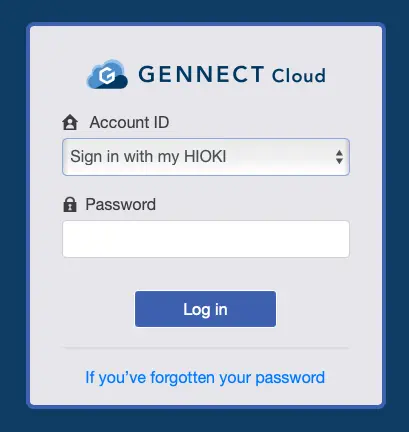
From the GENNECT Cloud login page, enter the email address used in your my HIOKI account and click [Next].
Select [Sign in with my HIOKI], enter the password used in your my HIOKI account and click [Login].
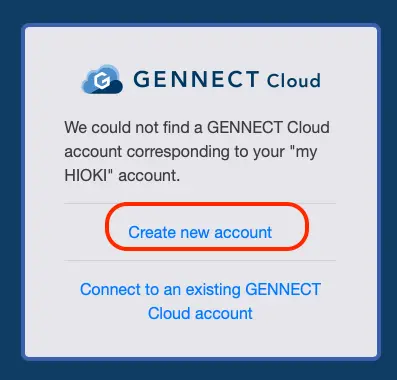
Click [Create new account] and follow the prompts to create an account.
Connect with an existing GENNECT Cloud account
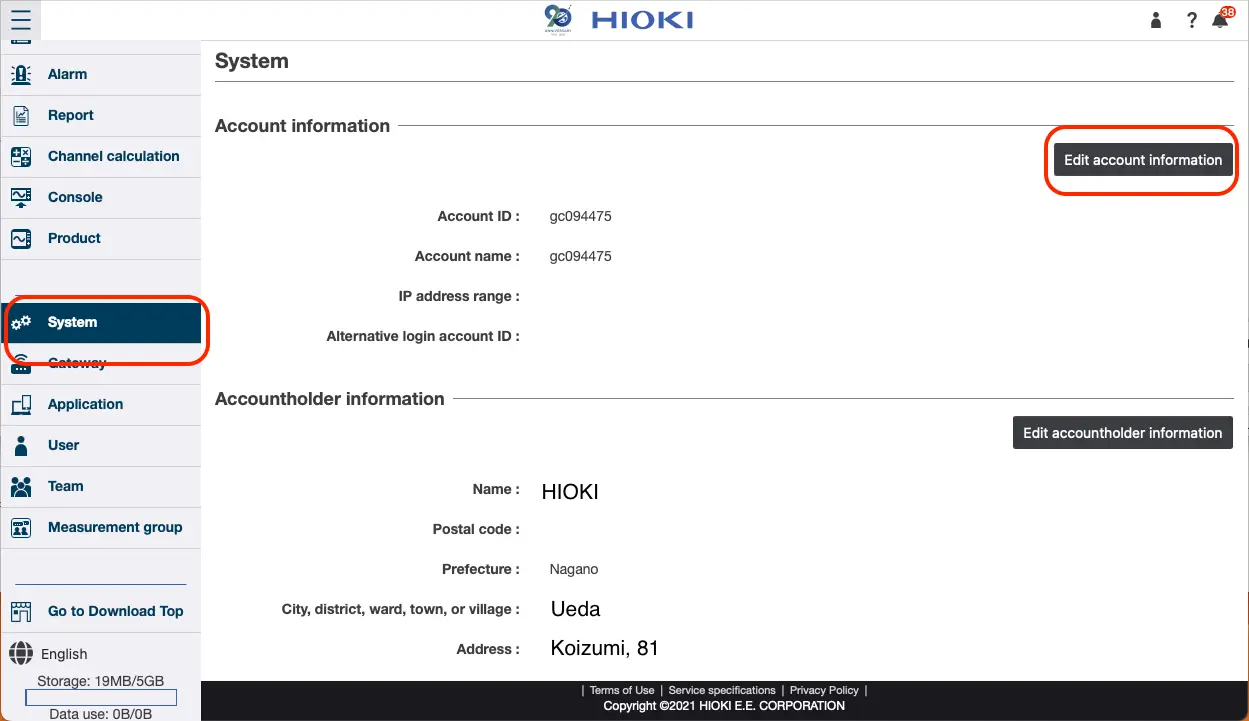
Click [Edit account information] in the system administration page.
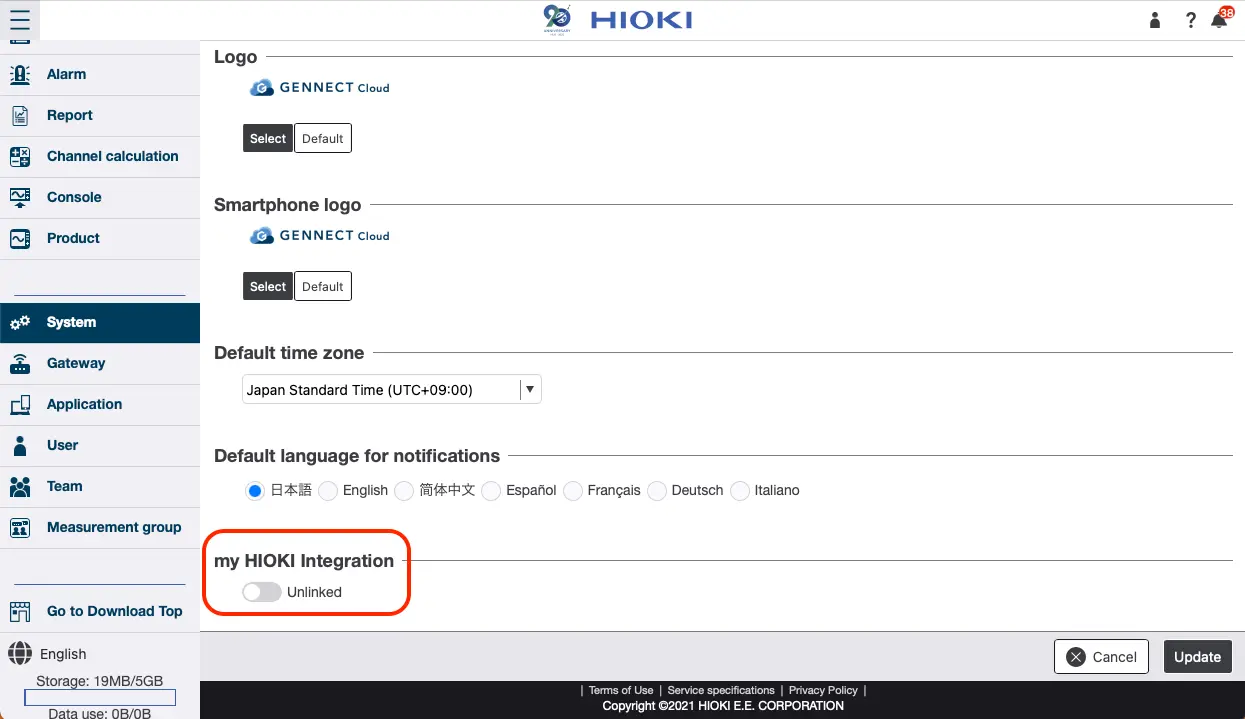
Click the switch [my HIOKI Integration].
Enter the email address and password you use for my HIOKI and click [Confirm].
Want help or have questions?