

What are alarms?
GENNECT Cloud provides functionality for notifying users when GENNECT polled data measured values exceed a set threshold or when a trigger or power quality event occurs by reporting associated information via email, Slack, GENNECT Cross, or a web application notifications screen.
These notifications are known as alarms.
For more information about how to review alarm notifications in the web application, see “Reviewing measurement notifications.”
Interface description
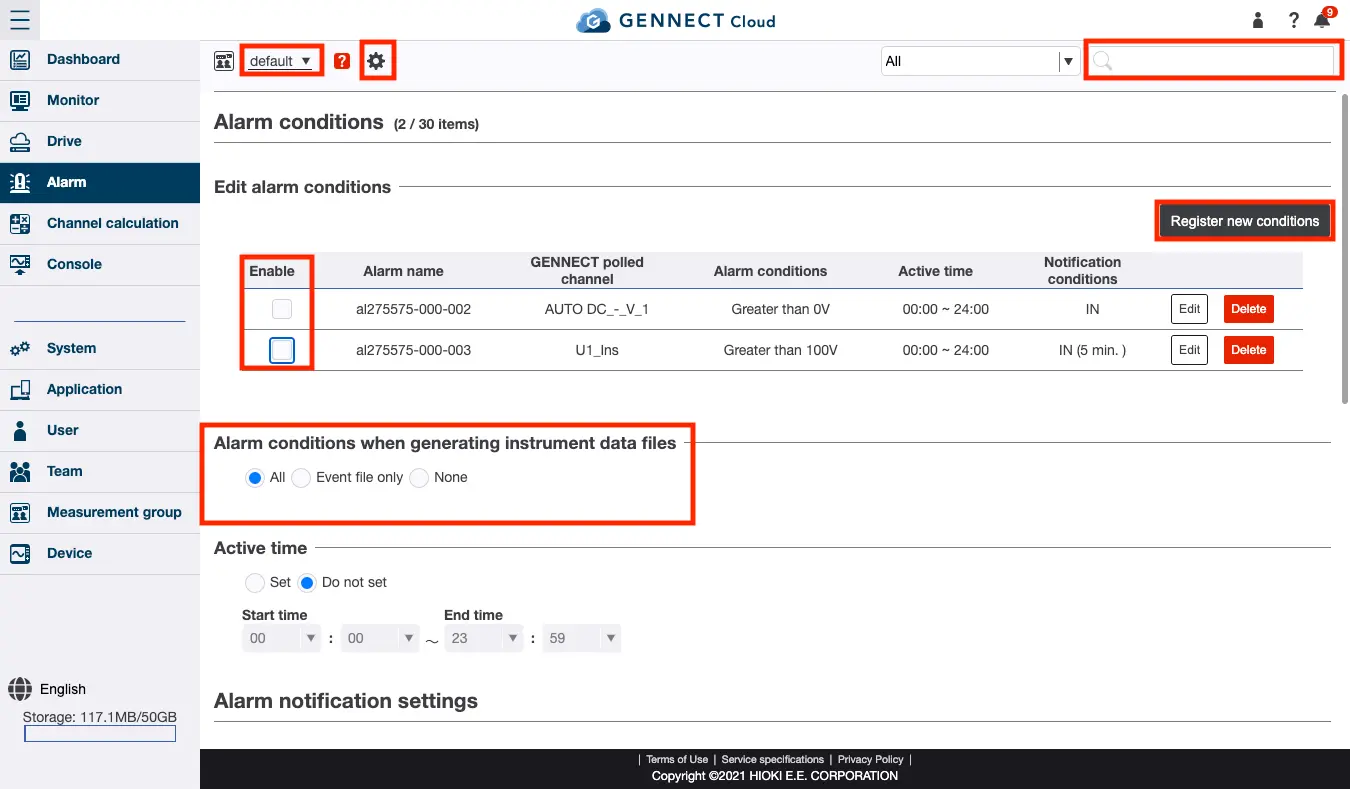
*1 Sets the measurement group. For more information, see “Setting the measurement group.”
*2 Refines the information shown on the display from the alarms, and channels shown on the screen.
For more information, see “Searching and refining information to display.”
*3 Creates a new alarm. For more information, see “Settings Alarm conditions for GENNECT polled data.”
*4 Enables/disables registered alarms. Alarms whose checkbox is selected are enabled, while those whose checkbox is deselected are disabled.
*5 Sets whether to generate an alarm when an instrument data file is created.
*6 Sets the time range within which to generate alarms when an instrument data file is created.
For more information, see “Configuring alarm notifications.”
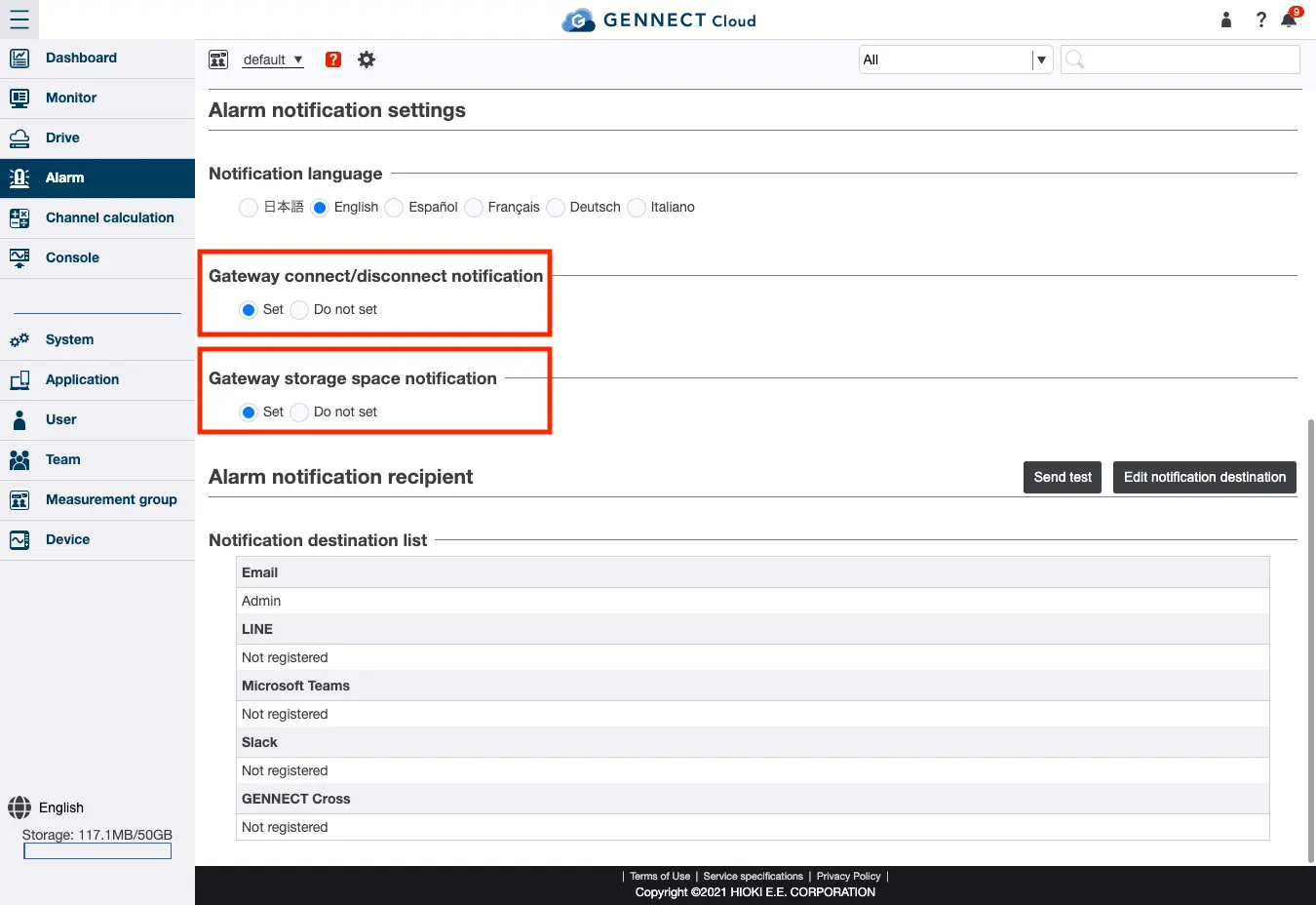
*1 Sets the language to use for notifications.
*2 Sets whether to issue an alarm notification when gateway/application communications connect or are disconnected.
For more information, see “Configuring alarm notifications.”
*3 Sets whether to issue an alarm notification when running out of gateway storage space. (GENNECT Remote gateway-only function) (In Japan only)
For more information, see “Configuring alarm notifications.”
*4 Sets where to send the alarm notification.
For more information, see “Registering alarm notification recipients” and “Registering a Slack account as an alarm notification recipient”.