

Deleting GENNECT polled data, instrument data files, and event camera images
You can delete GENNECT polled data, instrument data files, and event camera images saved in cloud storage.
Deleting GENNECT polled data
Click [GENNECT polled data] on the drive screen.
When GENNECT polled data uploaded in the past is displayed for each channel, click [Channel selection].
Select the GENNECT polled channel data you wish to delete and click [Delete].
Deleting instrument data files and event camera images
Click [Instrument data files] on the drive screen.
When the files in cloud storage and gateway/PC storage are displayed, click [File selection], select the files you wish to delete. and click [Delete].
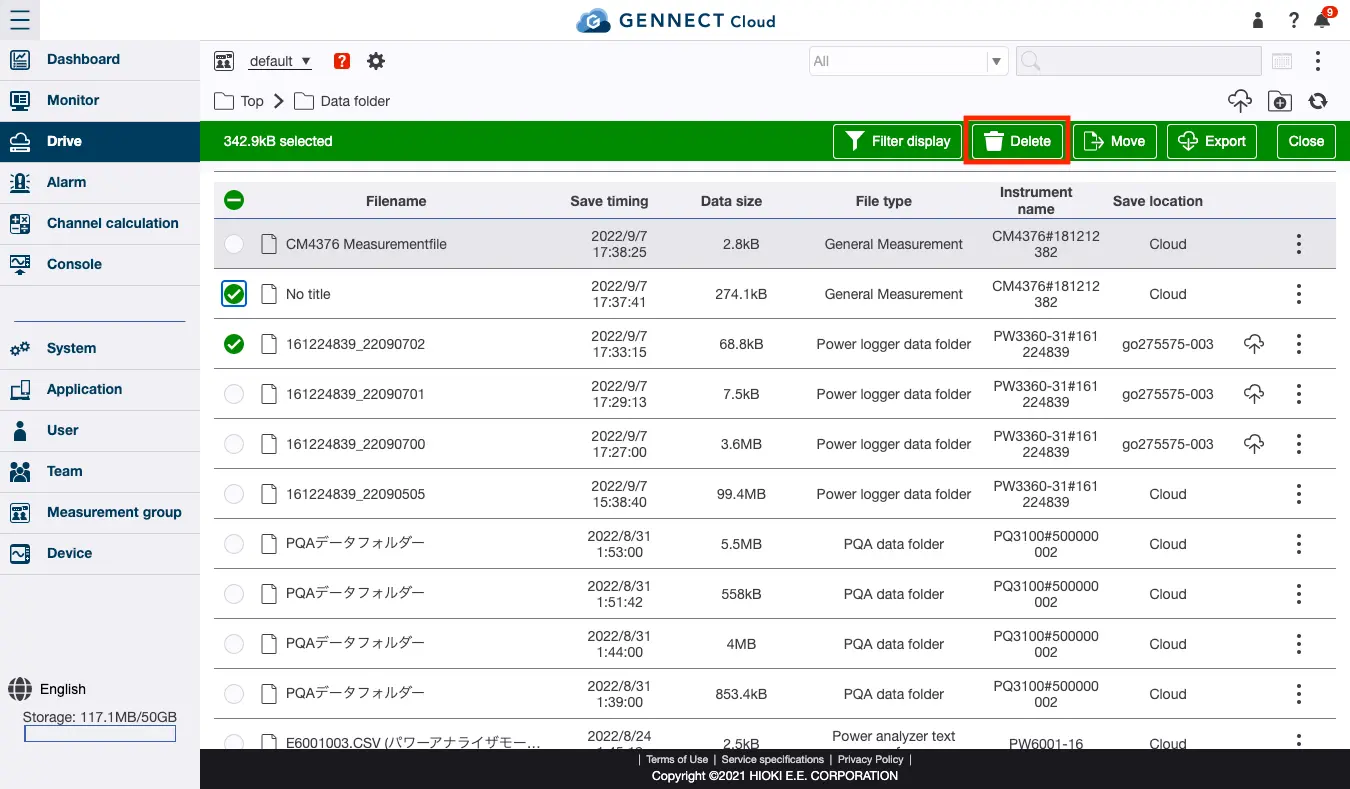
If a file was uploaded from GENNECT One, you can select whether to delete the file in GENNECT One along with the file in cloud storage.
If you do not wish to delete the file in GENNECT One, deselect the checkbox and delete the file.