

Subscribe or cancel your subscription to GENNECT Remote
Subscription contracts allow you to purchase licenses automatically on a month-to-month basis.
After signing the contract, the license expiration date will be extended by one month. On the license expiration date, the subscription is automatically settled and the license expiration date is extended by one month.
If you cancel your subscription before the license expiration date, the next settlement will not take place, but you will still be able to use your subscription plan until the extended license expiration date.
After the license expiration date, the gateway will no longer be available.
A credit card is required for subscription contracts.
For information on how to register a credit card, please see "Signing up for or canceling a GENNECT Cloud subscription".
Change from license card payment to subscription contract
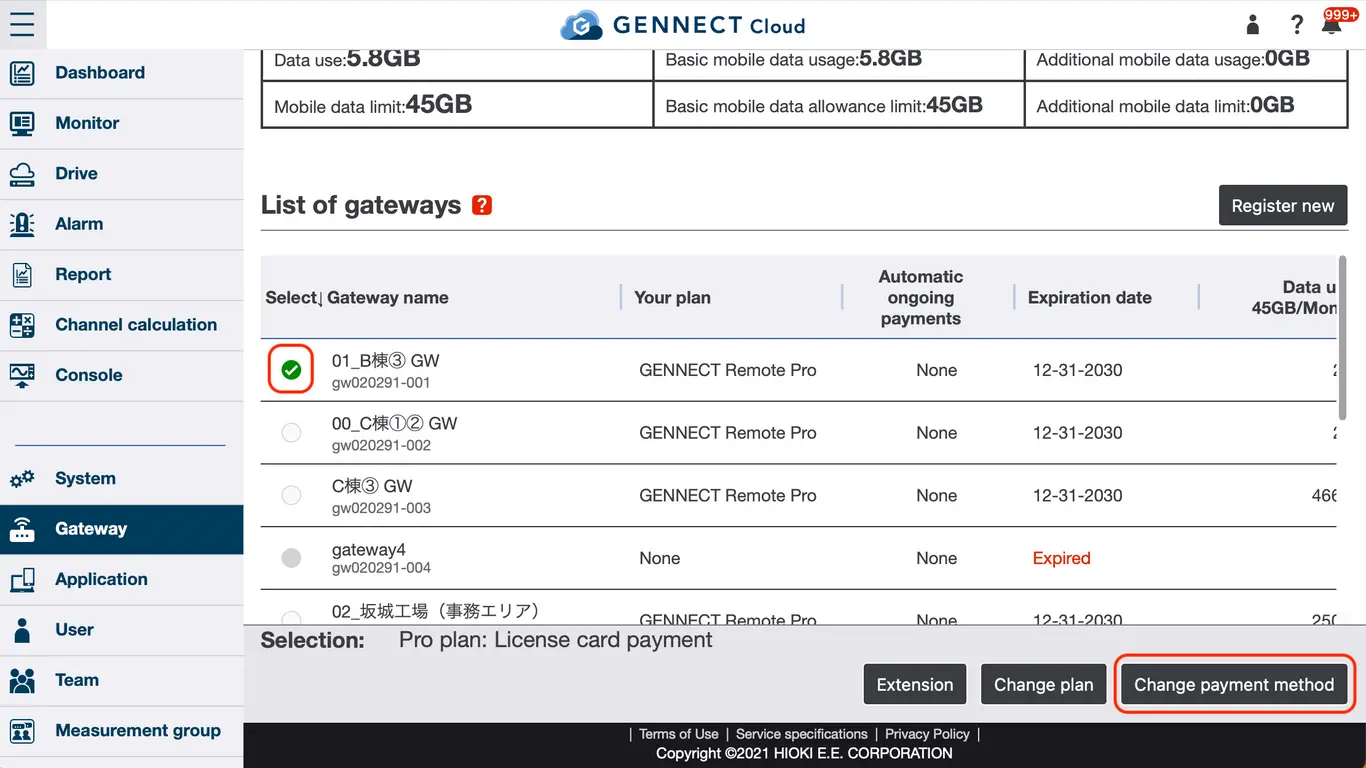
On the Gateway Management page, select the gateway for which you want to subscribe and click [Change Payment Method].
On the Change Payment Method page, check the details and click [Change].

Subscription Cancellation
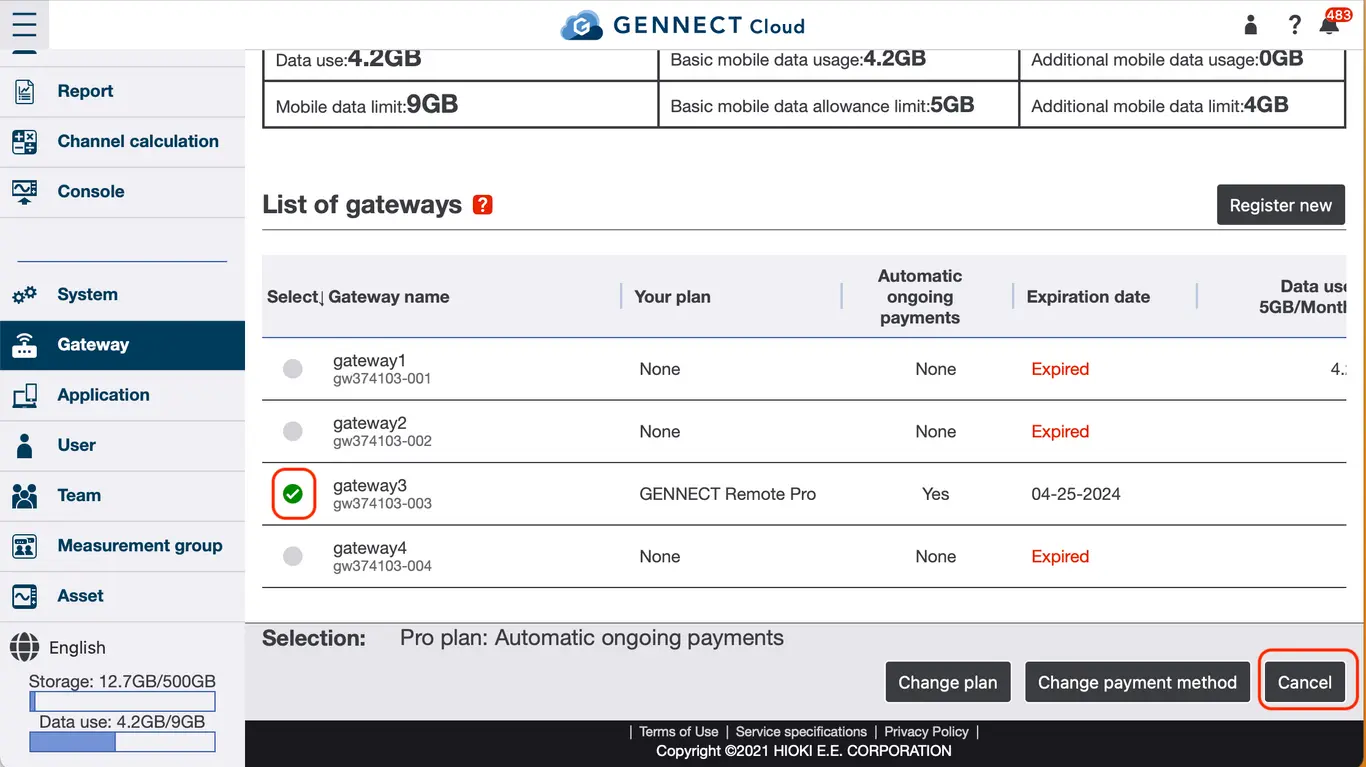
On the Gateway Management page, select the gateway for which you wish to cancel the subscription and click [Cancel].
On the Cancel Auto-renewal Purchase page, confirm the details and click [Cancel].

Re-subscription
If the gateway is within one month of cancellation, the gateway can be made operational again without replacing the SIM by re-signing the contract.
On the Gateway Management page, select the gateway for which you wish to re-subscribe and click [Reactivate license].

On the Select a Plan page, select the plan you wish to sign up for and click [Select a payment method].
On the payment method selection page, select "Automatic ongoing payments (automatic monthly payments by credit card)" and click [Next].
Confirm the contract details on the Information Confirmation page and click [Start automatic ongoing payments].
