

Changing the camera settings
The camera function is exclusive to the GENNECT Remote gateway.(In Japan only)
Note that this function cannot be used with GENNECT One or GENNECT Cross.
One camera can be connected to each gateway via USB.
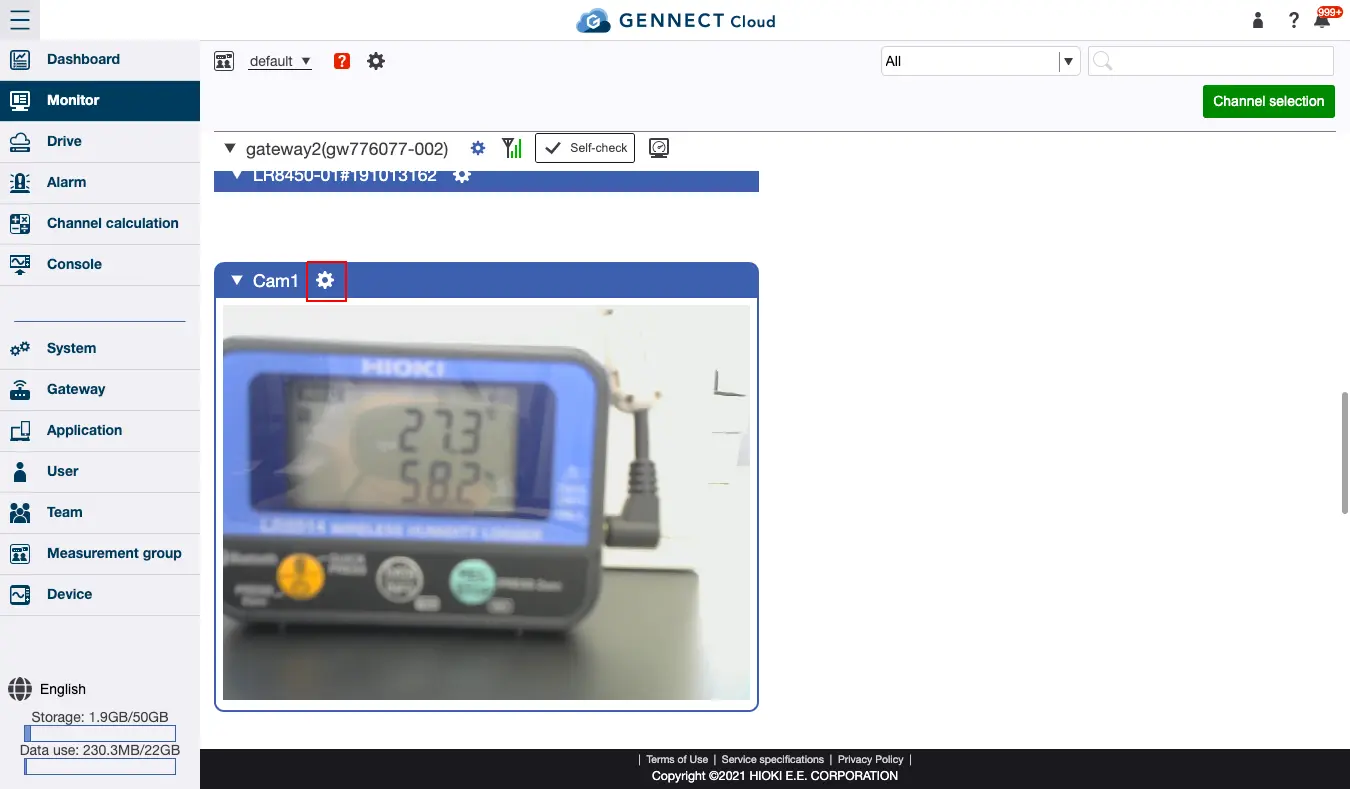
This section describes how to change the settings for the connected camera. When you connect a camera to the gateway’s USB port, the camera box will be displayed on the monitor screen.
Click the settings button to the right of the camera’s name to open the camera settings screen.
The following settings can be configured:
- Camera function on/off
ON/OFF:
Toggles the camera function on and off. - Recording interval
1min/5min/10min/15min/30min/60min:
Sets the interval at which camera images are updated and saved. The shorter the interval, the more mobile data will be used. - Picture quality setting
Low (320 × 240 px) / Medium (640 × 480 px) / High (800 × 600 px):
Sets the level of quality for camera images. The higher the quality, the more mobile data will be used.
Please provide a camera that’s compatible with the USB Video Class (UVC) standard.
As of August 2020, Hioki has verified that the camera models listed below work properly with the service. Please note that Hioki is unable to field inquiries concerning these products.
- Logicool HD Webcam C270, C270n
- Logicool HD Webcam C310, C310n
- ELECOM UCAM-C520FE
- ELP ELP-USBFHD05MT-DL36-J (infrared night vision camera)