Purchasing or canceling a GENNECT Cloud subscription
You can enable automatic ongoing payments every month by purchasing a subscription.
After purchase, your license period will be extended for one month. The next payment will be processed automatically on your license expiration date to extend your license period for another month.
If you cancel your subscription before the license expiration date, the next payment will not be processed, but you’ll be able to keep using the plan until your license period ends.
Once the license expiration date is reached, your plan will be automatically switched to the GENNECT Cloud Free plan.
Please note that data may be deleted when you switch from the Pro plan to the Free plan or from the Basic plan to the Free plan, depending on how you’re using the service. Exercise caution concerning possible data loss.
Registering and managing credit card information
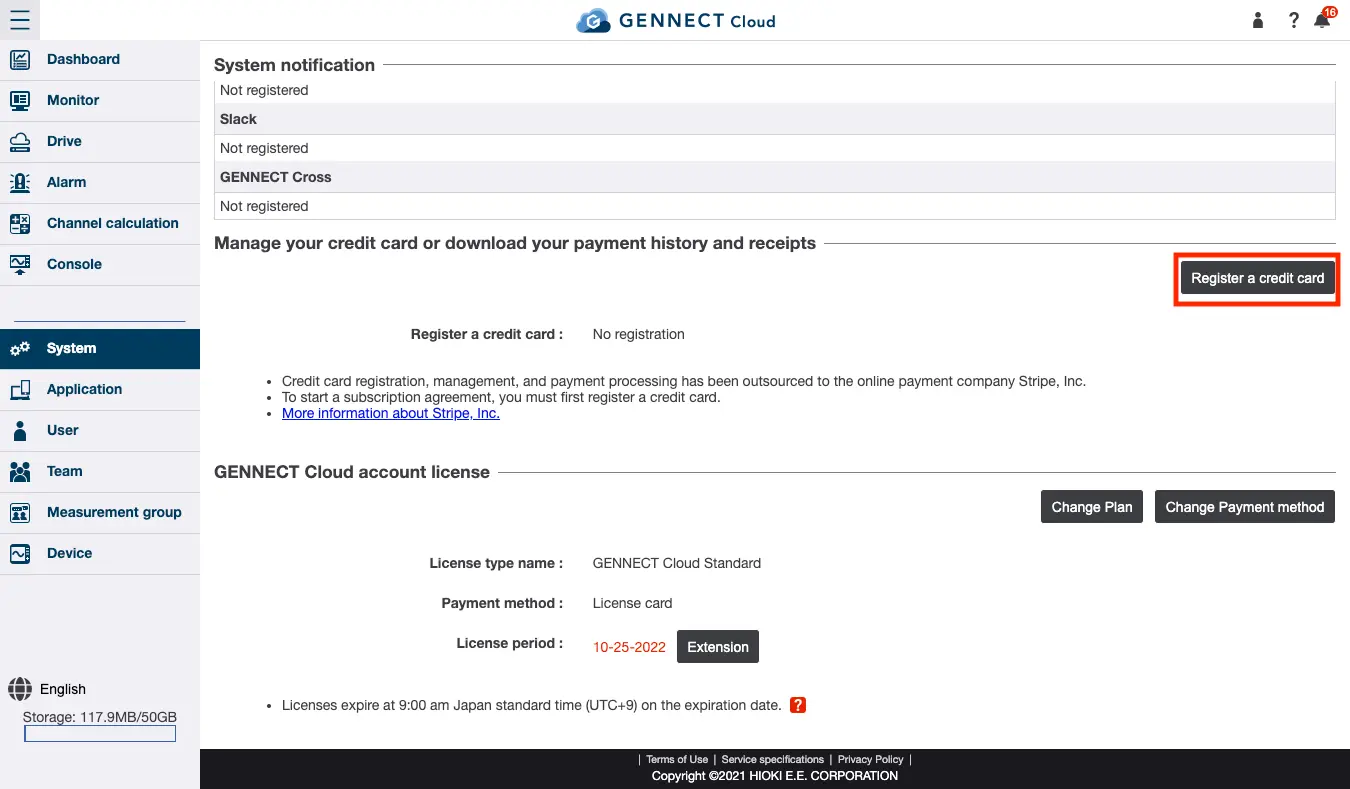
To manage your credit card and download your payment history and receipts on the system administration screen, you’ll need to register a credit card if you haven’t done so already.
Click [Register a credit card] and register credit card information for subscription payments.
Credit card registration, management, and payment processing have been outsourced to the online payment company Stripe, Inc.
Please access the Stripe website via the link and register your credit card information.
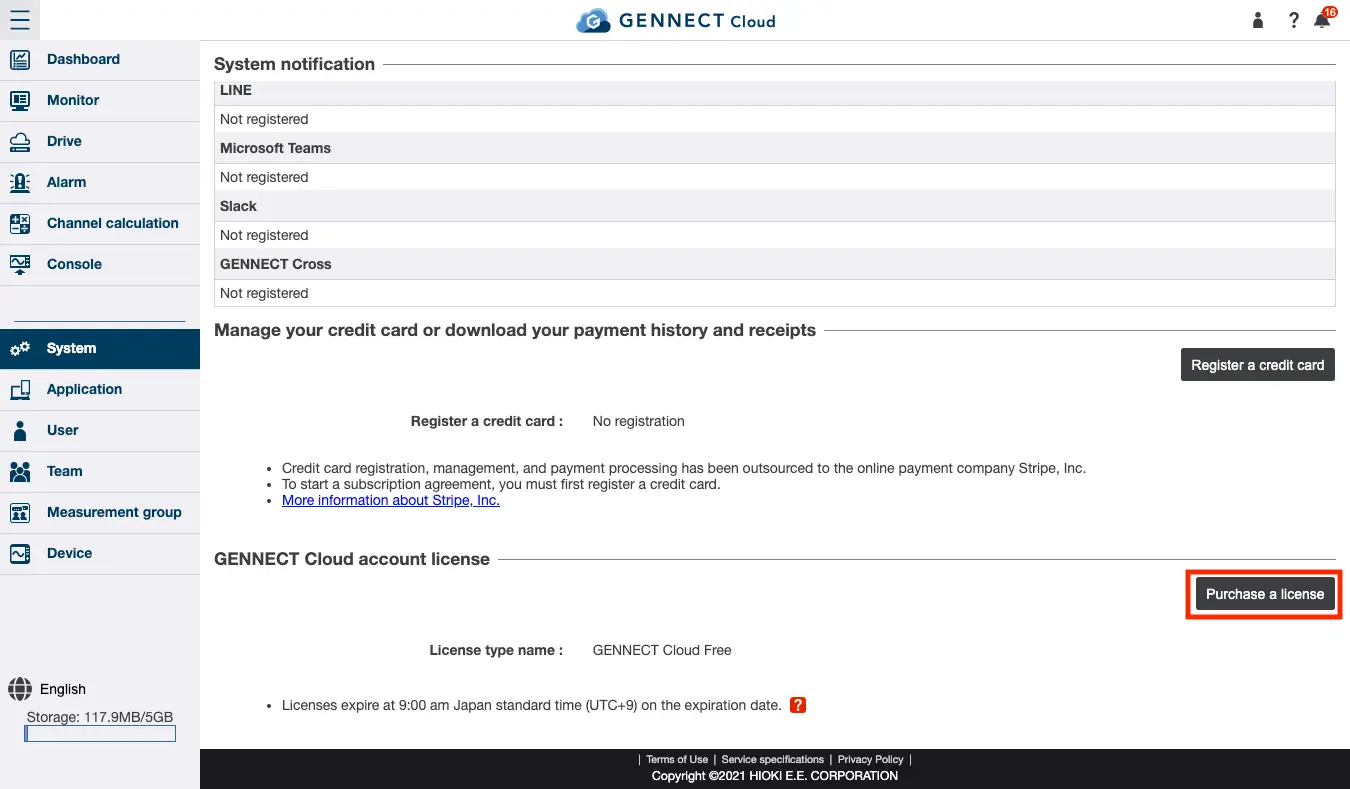
Purchasing a subscription
Click [Purchase a license] under a GENNECT Cloud account license on the system administration screen.
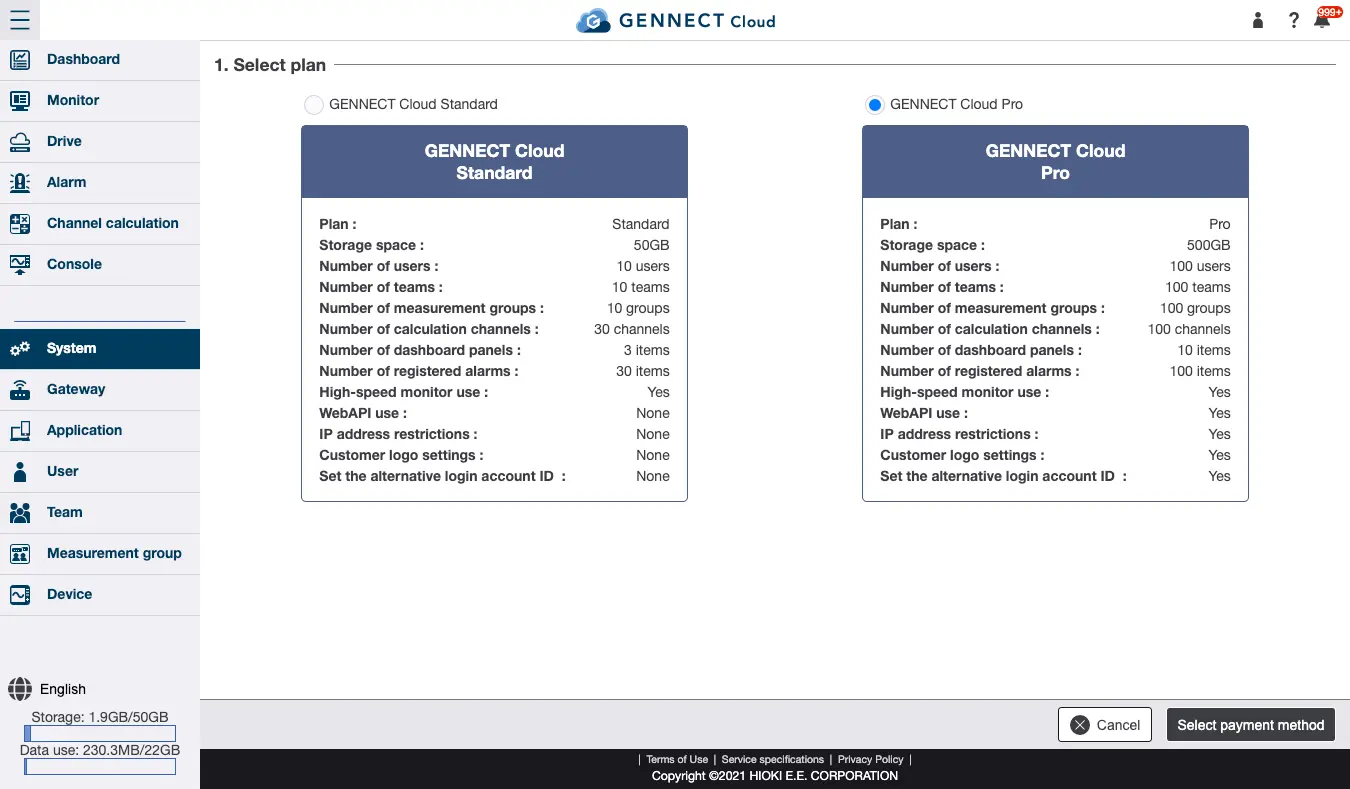
Select the plan you wish to purchase on the plan selection screen and click [Select payment method].
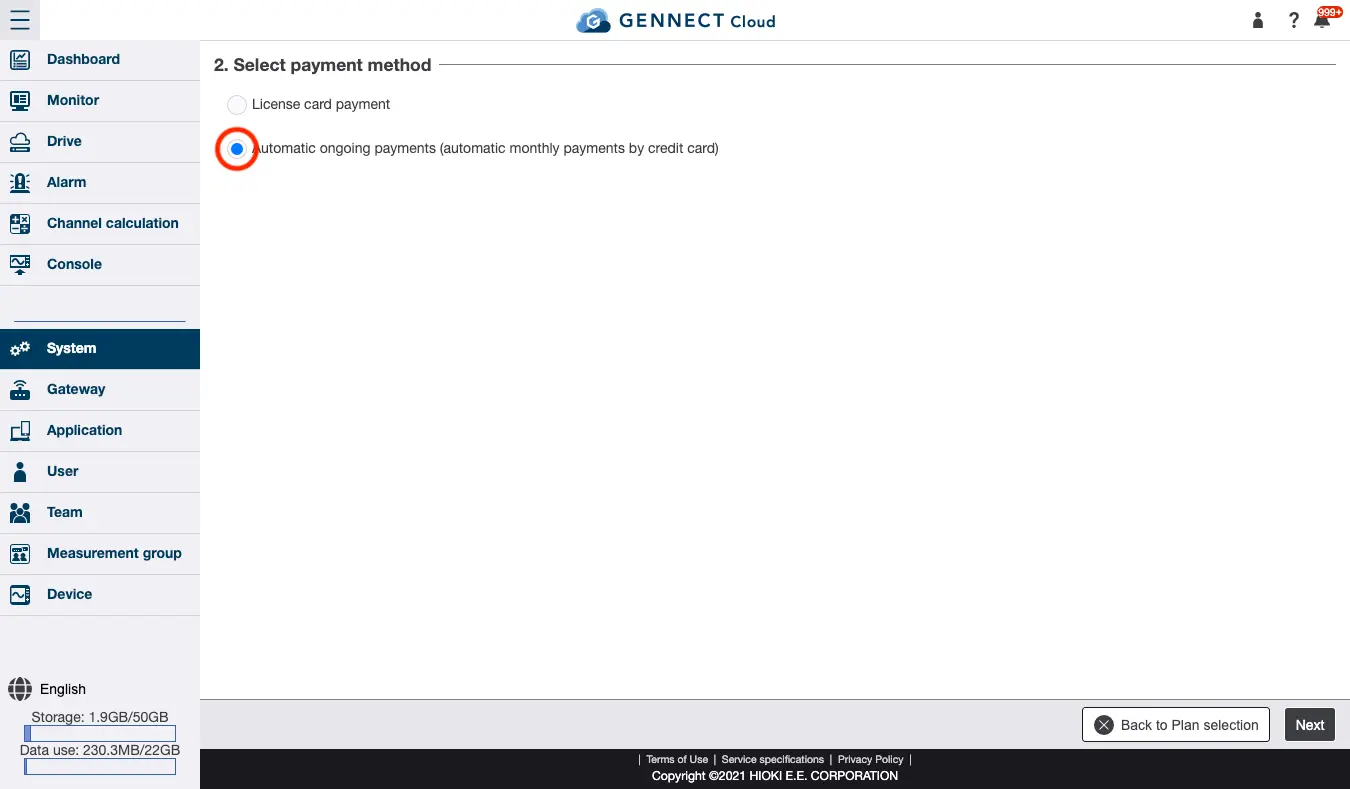
Select “Automatic ongoing payments (monthly payments by credit card)” on the payment method selection screen and click [Next].
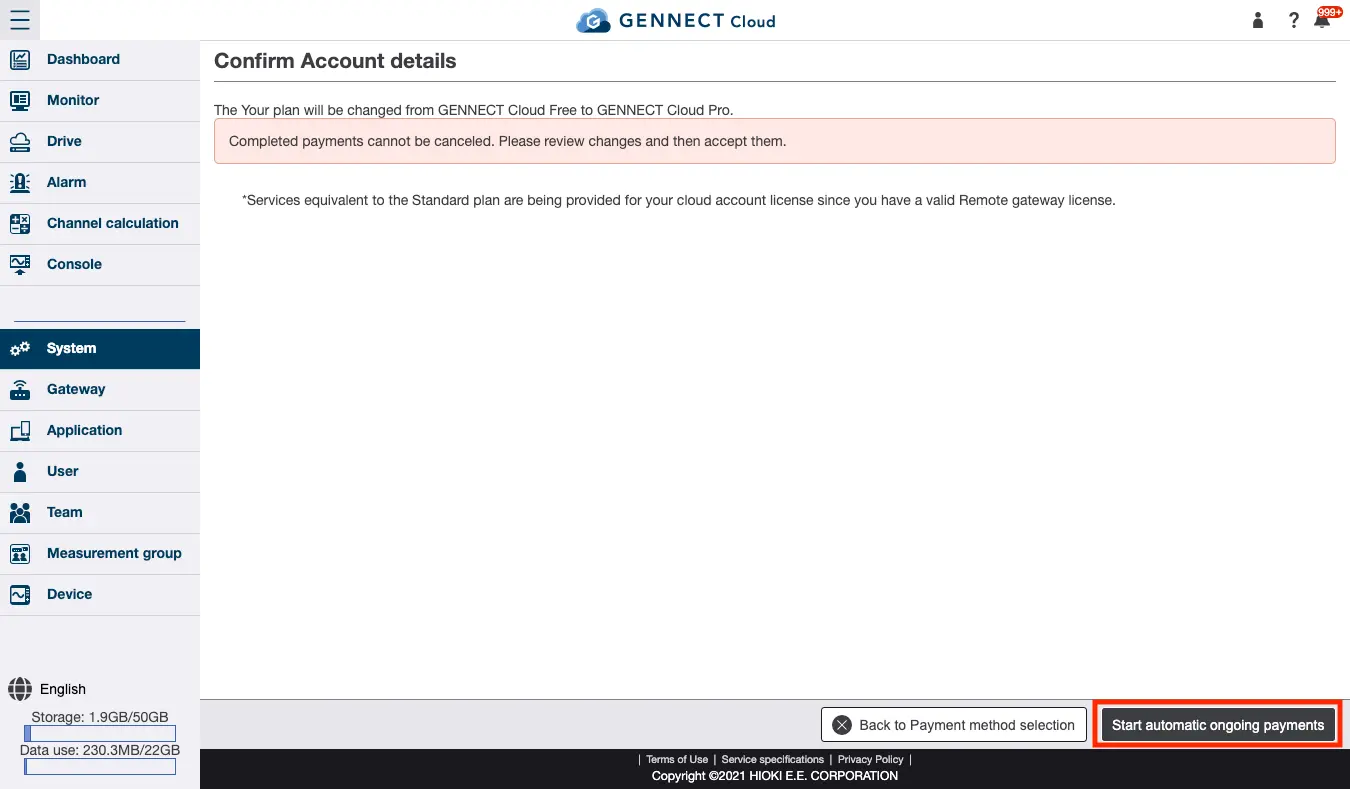
Review the purchase on the information review screen, click [Start automatic ongoing payments], and click [Accept].
Canceling a subscription
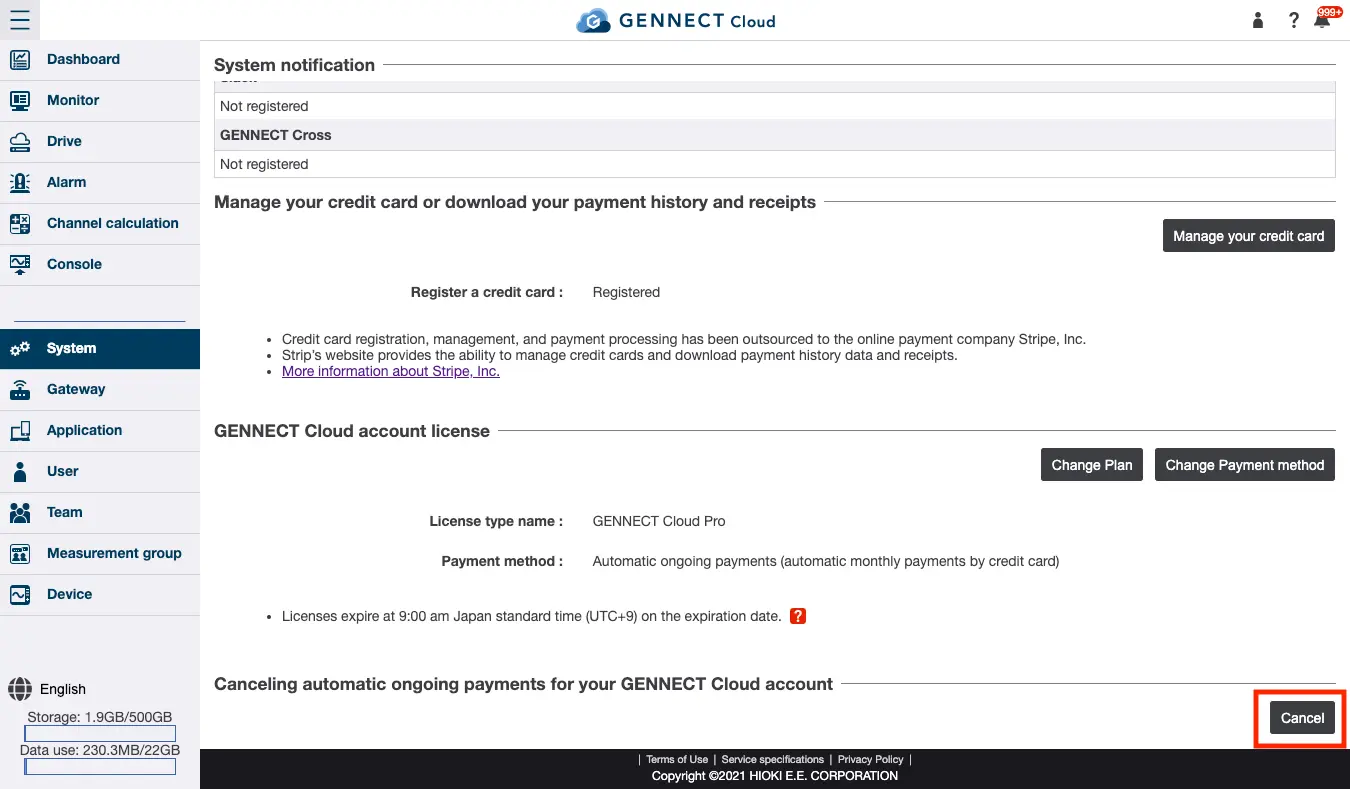
Click [Cancel] under GENNECT Cloud account automatic ongoing payment cancellation on the system administration screen.
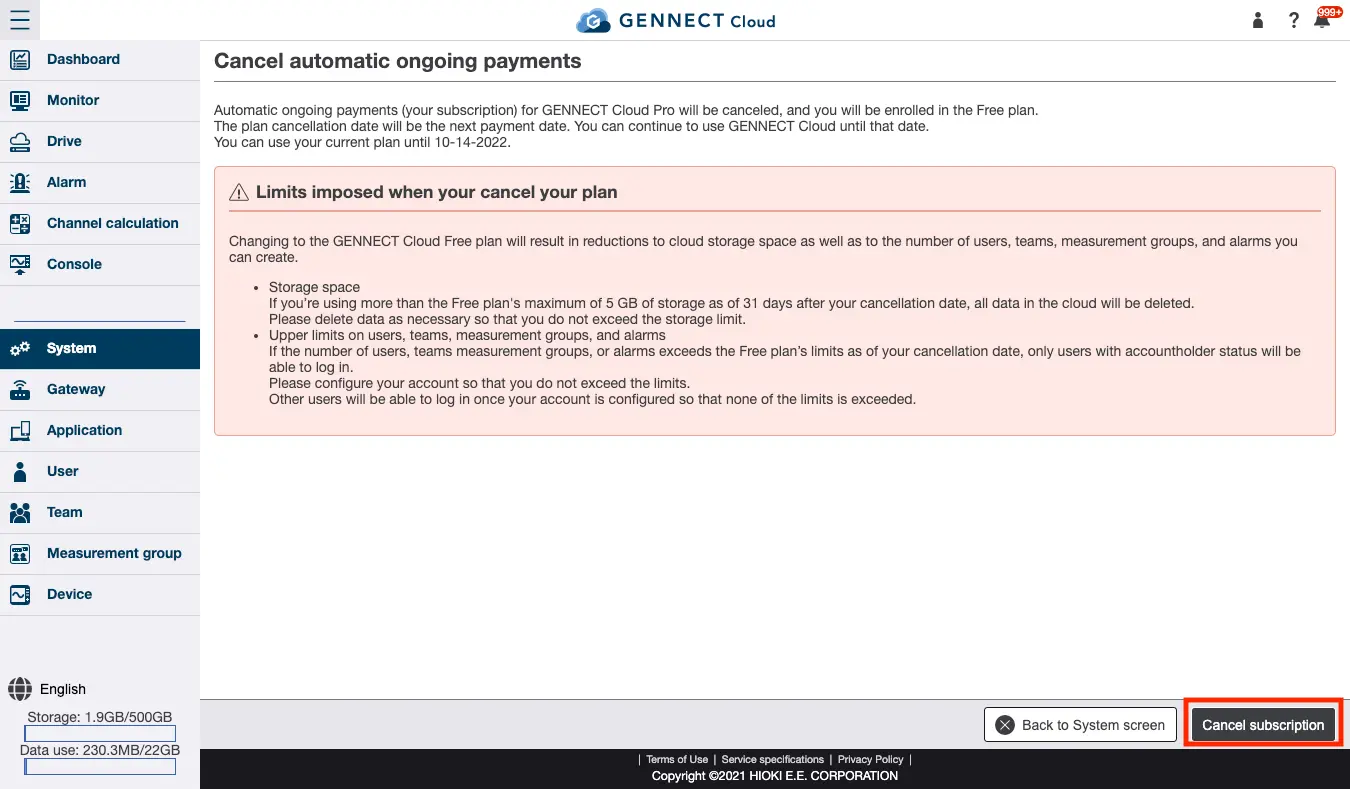
Review the precautionary information on the automatic ongoing payment cancellation screen and click [Cancel].
Changing from payment using license cards to a subscription
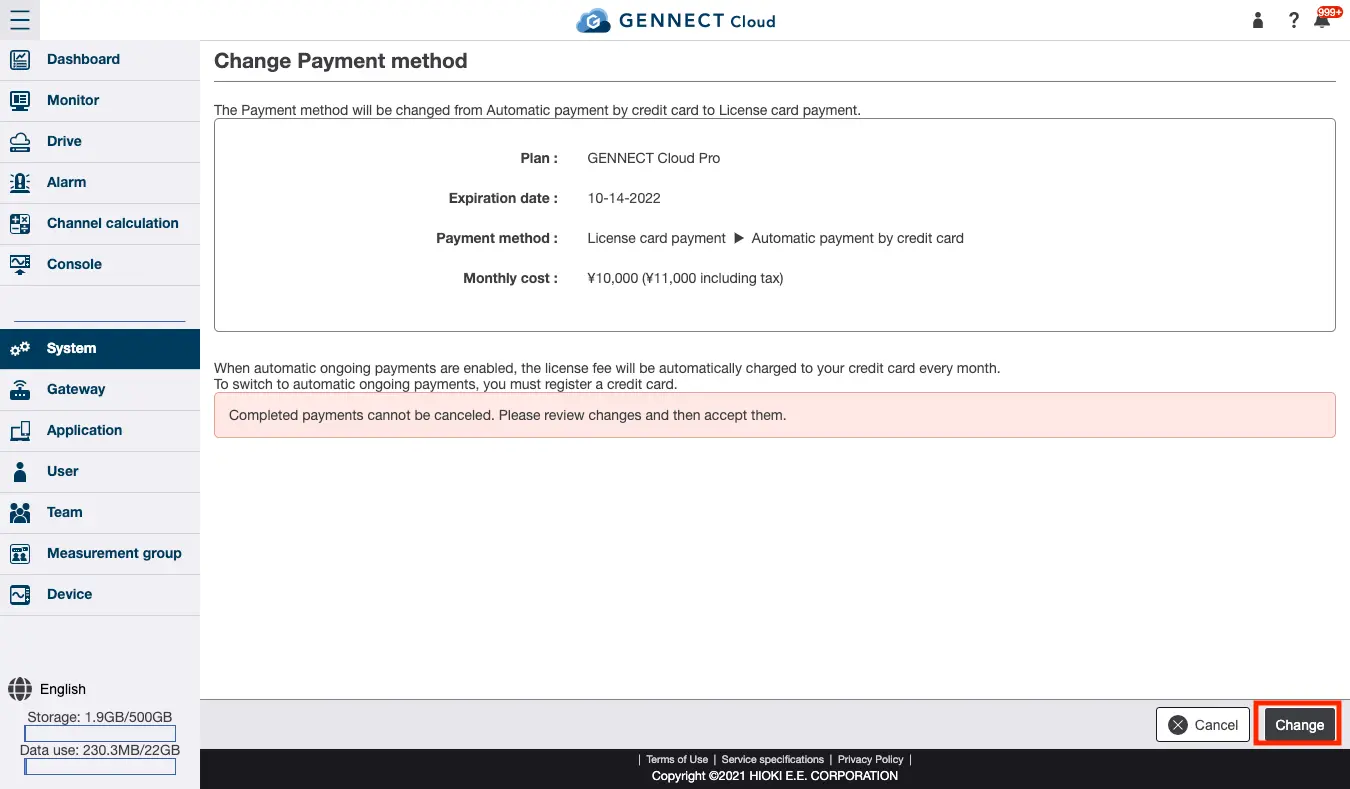
Click [Change payment method] under GENNECT Cloud account license on the system administration screen.
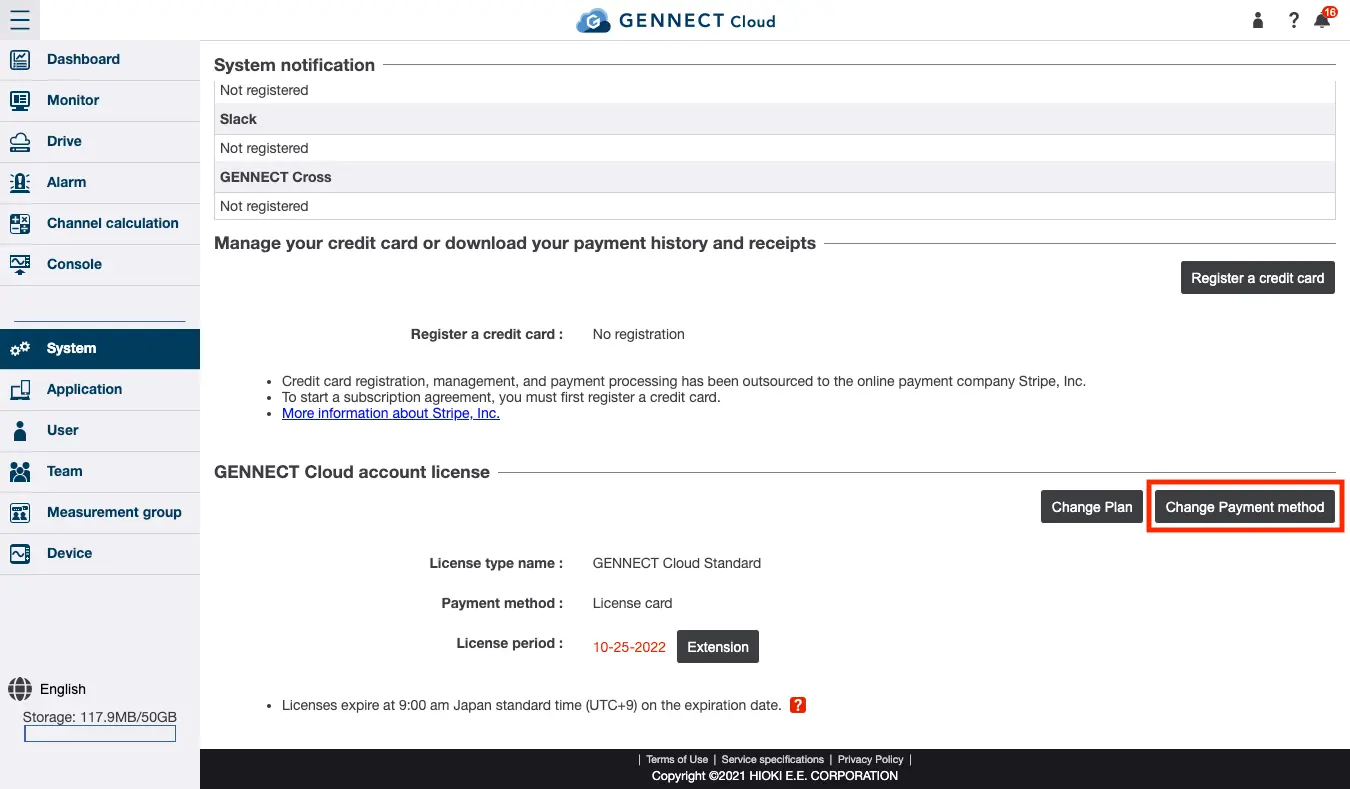
Review the information on the payment method change screen and click [Change].