

Opening/exporting GENNECT polled data with the time-series viewer
You can open or export accumulated GENNECT polled data with the time-series viewer.
Displaying GENNECT polled data
Click [GENNECT polled data] on the drive screen.
Selecting target channels
When GENNECT polled data uploaded in the past is displayed for each channel, click [Channel selection]. Then select the target channel and click either [Open with viewer] or [Export].
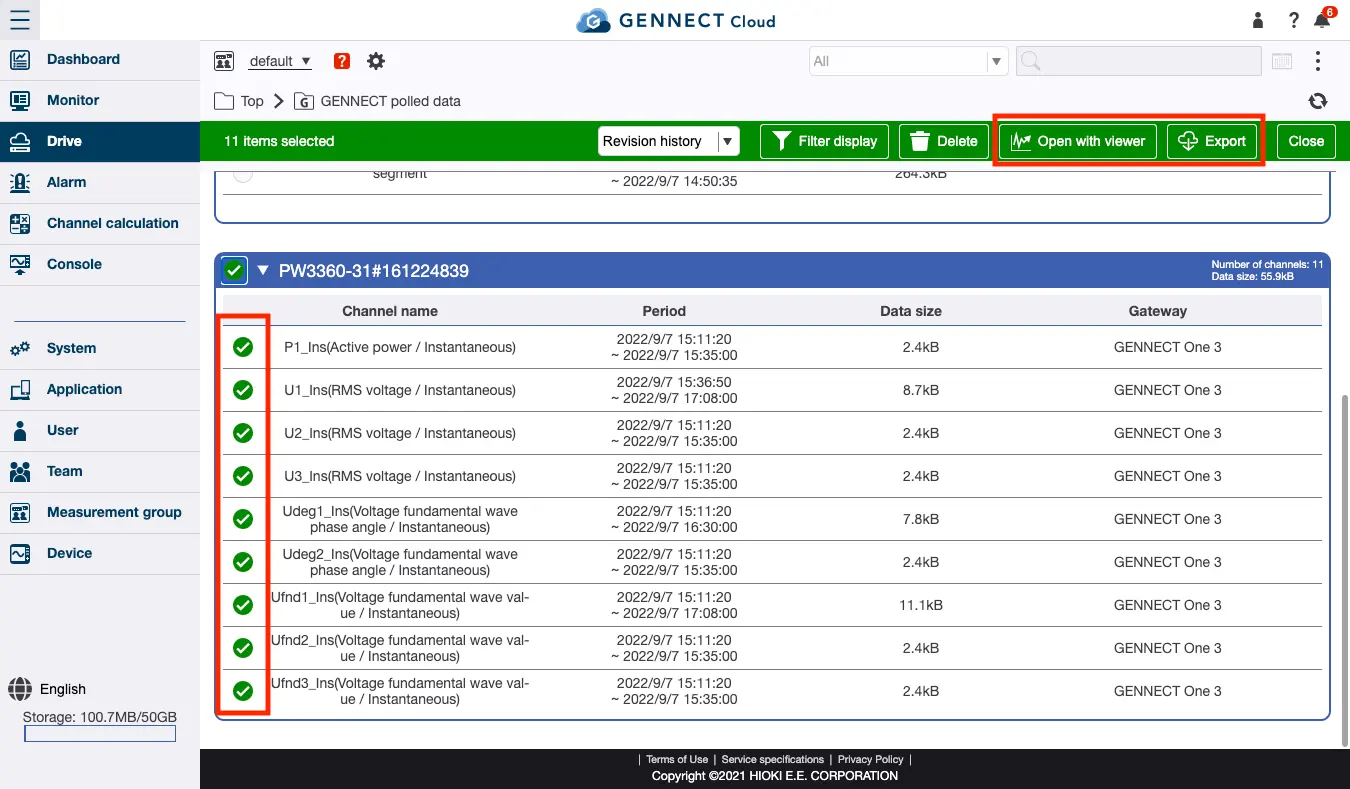
Specifying the interval
- To open the data with the time-series viewer, click [Open].
For a more detailed description of this process, see “Opening GENNECT polled data with the time-series viewer.” - To export the data, select the interval and file format and then click [Export].
For a more detailed description of this process, see “Exporting GENNECT polled data.”
Want help or have questions?