

Configuring alarm notification settings
This section describes how to configure settings related to alarm notifications on the alarm screen. The following settings can be selected:
- Alarm conditions when generating instrument data files
- All:
Alarm notifications will be issued at the times shown in the image for all instrument data files created by instruments. For more information about instrument data files, see “What is the drive function?.”
- All:
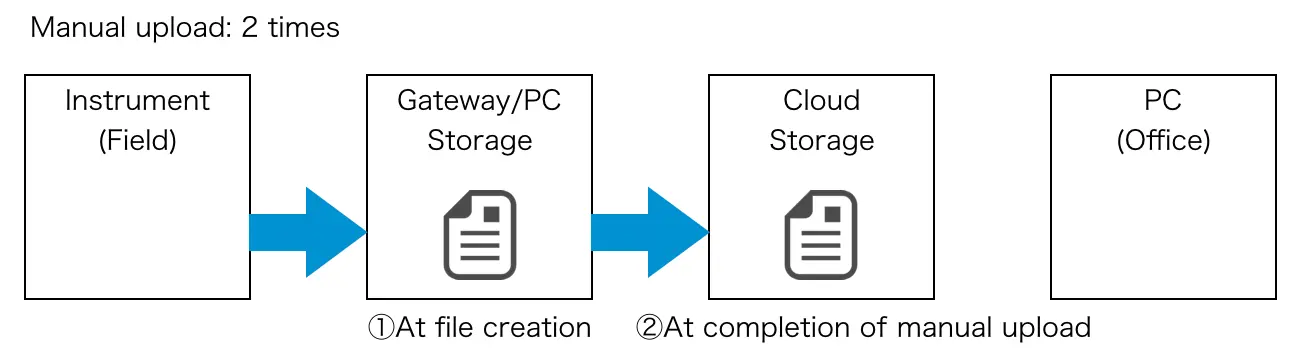
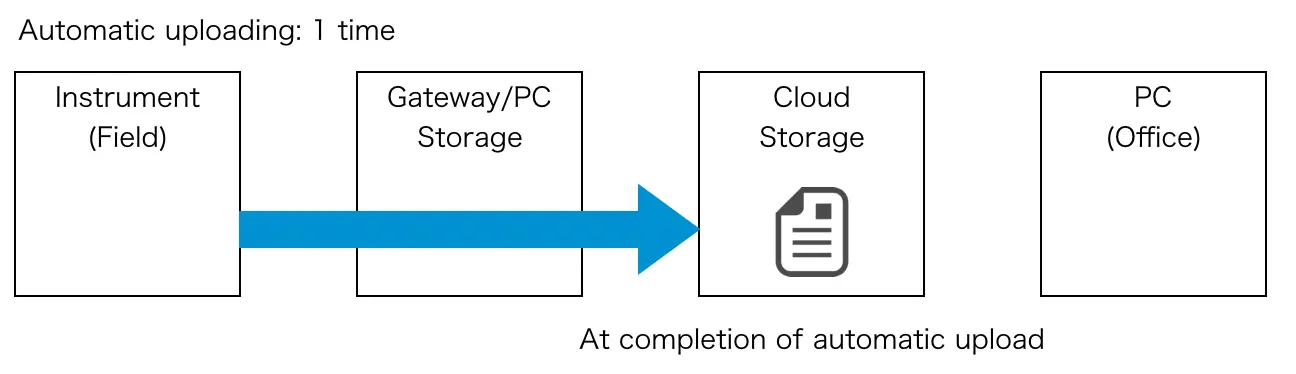
- Event files only:
Notifications will be limited to Power Quality Analyzer event files and Memory HiCorder time-series files. When using this setting, notifications will be sent when a Power Quality Analyzer detects an event or when a Memory HiCorder trigger activates. Notifications will not be issued for instrument data files, which are always generated once a day by loggers and similar instruments. - None:
Alarm notifications will not be issued for instrument data files. - Active time
Sets the time during which to generate alarms for instrument data files. - Notification language
Selects the language to use for alarms. - Gateway connect/disconnect notification
- Set:
Alarm notifications will be issued whenever gateway/application communications are connected or disconnected. - Do not set:
Alarm notifications will not be issued.
- Set:
- Gateway storage space notification (gateway-only function)
- Set:
Issues an alarm notification if the remaining gateway storage falls below 1 GB. Since it’s not possible to acquire instrument data files when there is insufficient gateway storage space, it’s necessary to upload or delete files when this notification occurs. Once this alarm has occurred, it will not occur again until the remaining storage space exceeds 1 GB. - Do not set:
Disables issuance of gateway storage space notifications.
- Set:
- Special Value Channel Notification
- Set:
Alarms are notified when special values such as "INVALID", "NO DATA", and "BURN OUT" occur. However, no notification is given when there is no data ("-"). - Do not set:
No special value channel notification is performed.
- Set:
Want help or have questions?