Selecting channels for acquiring GENNECT polled data
With GENNECT Cloud, measured values from instruments connected to a gateway/application are saved in the cloud once a minute. This data is known as GENNECT polled data.
To save GENNECT polled data, connect your instrument to a gateway and then select the channels to poll. These channels are known as GENNECT polled channels.
The number of channels you can select and connected instruments are subject to the following upper limits:
If you’re using GENNECT One
| GENNECT Cloud plan | Free | Standard | Pro |
|---|---|---|---|
| Maximum number of channels | 30 per instrument | per instrument | 100 per instrument |
| Maximum number of connected instruments | 3 per application | 8 per application | 8 per application |
If you’re using GENNECT Remote (In Japan only)
| GENNECT Remote plan | SF4111 | SF4112 |
|---|---|---|
| Maximum number of channels | 30 per instrument | 100 per instrument |
| Maximum number of connected instruments | 8 per gateway | 8 per gateway |
If you’re using GENNECT Cross
If you’re using GENNECT Cross, all channels for instruments connected to GENNECT Cross will be selected, and you will not be able to change the polled channels from the web interface.
When using LR8450 Cloud integration function
| GENNECT Cloud Plan | Free | Standard | Pro |
|---|---|---|---|
| Maximum number of channels | 30 | 150 | 1000 |
Selecting instruments
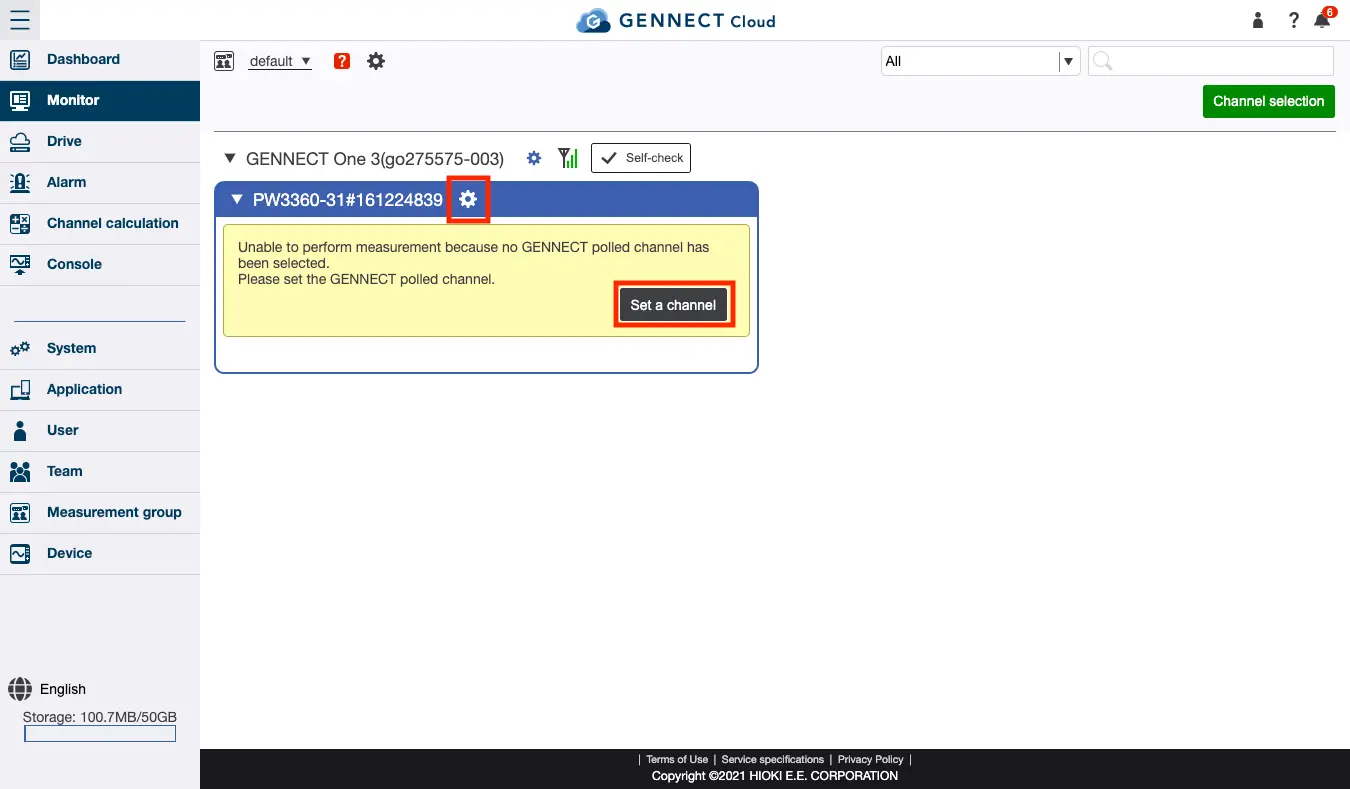
If your instrument is connected to a gateway/application but no channels have been selected, a screen such as the following will be displayed. Click [Set a channel] for the instrument whose channel you wish to select. You can also use the settings button to the right of the instrument’s name.
Selecting Channels
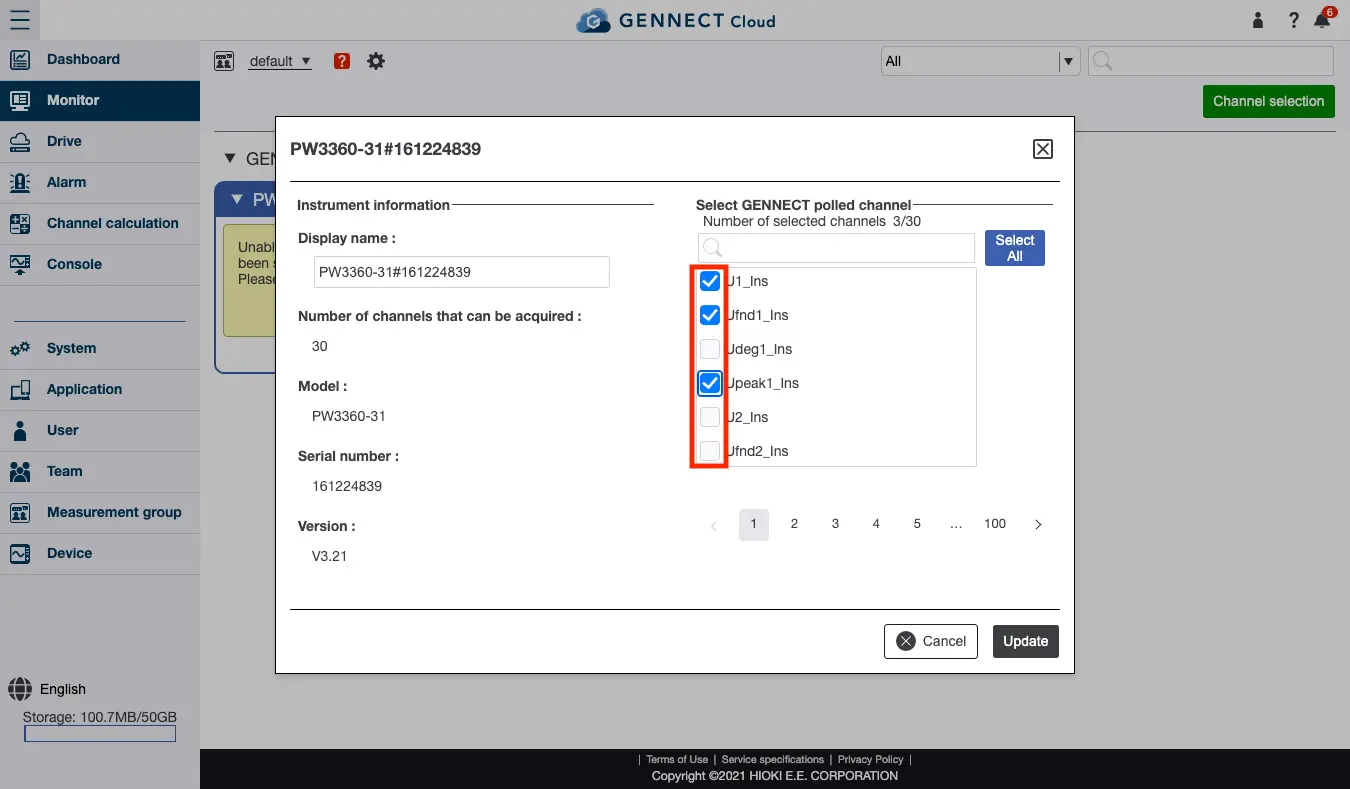
A screen allowing you to select GENNECT polled channels for the selected instrument will appear. Select the channel you wish to measure and click [Update].
After several minutes, measured values from the selected channel will appear on the screen. The values will be automatically updated once per minute while the monitor screen is being displayed and automatically saved and accumulated on the drive as GENNECT polled data.