

Exporting instrument data files
You can export instrument data files in cloud storage and analyze them, for example on a PC.
Selecting and downloading files
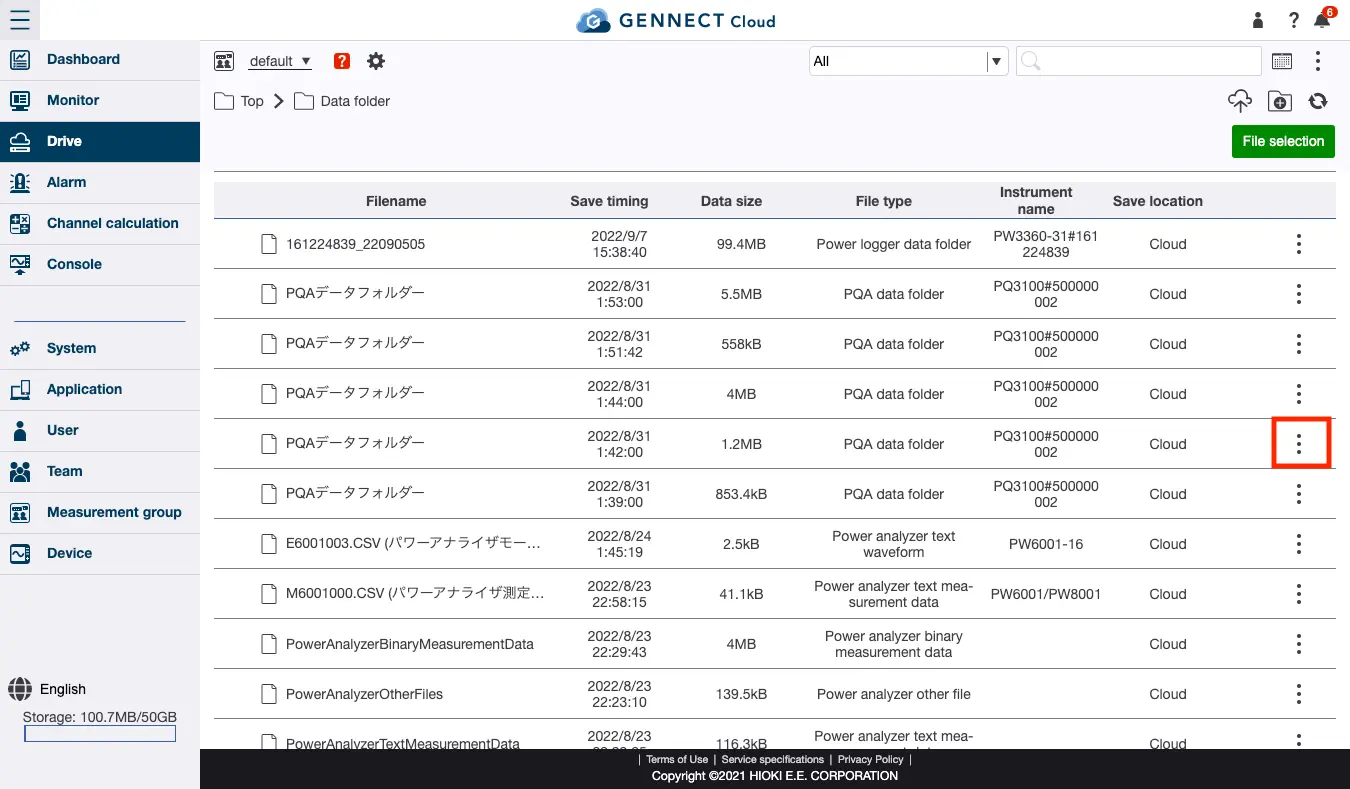
Click [Data folder] on the drive screen.
Only files in cloud storage can be exported.
Files in cloud storage are shown with a [Storage location] of [Cloud].
Click the icon shown in the image for the file you wish to export and then click [Export].
If the file you wish to export does not exist in cloud storage, upload the file as described in “Moving instrument data files from gateway/PC storage to cloud storage.”
Specifying the file format and exporting the file
After clicking [Export], you can select either ZIP or HOK as the file format.
- Some files do not support the HOK format. For more information about supported formats, see “Instrument-specific notes when connecting to the SF4111/ SF4112.”
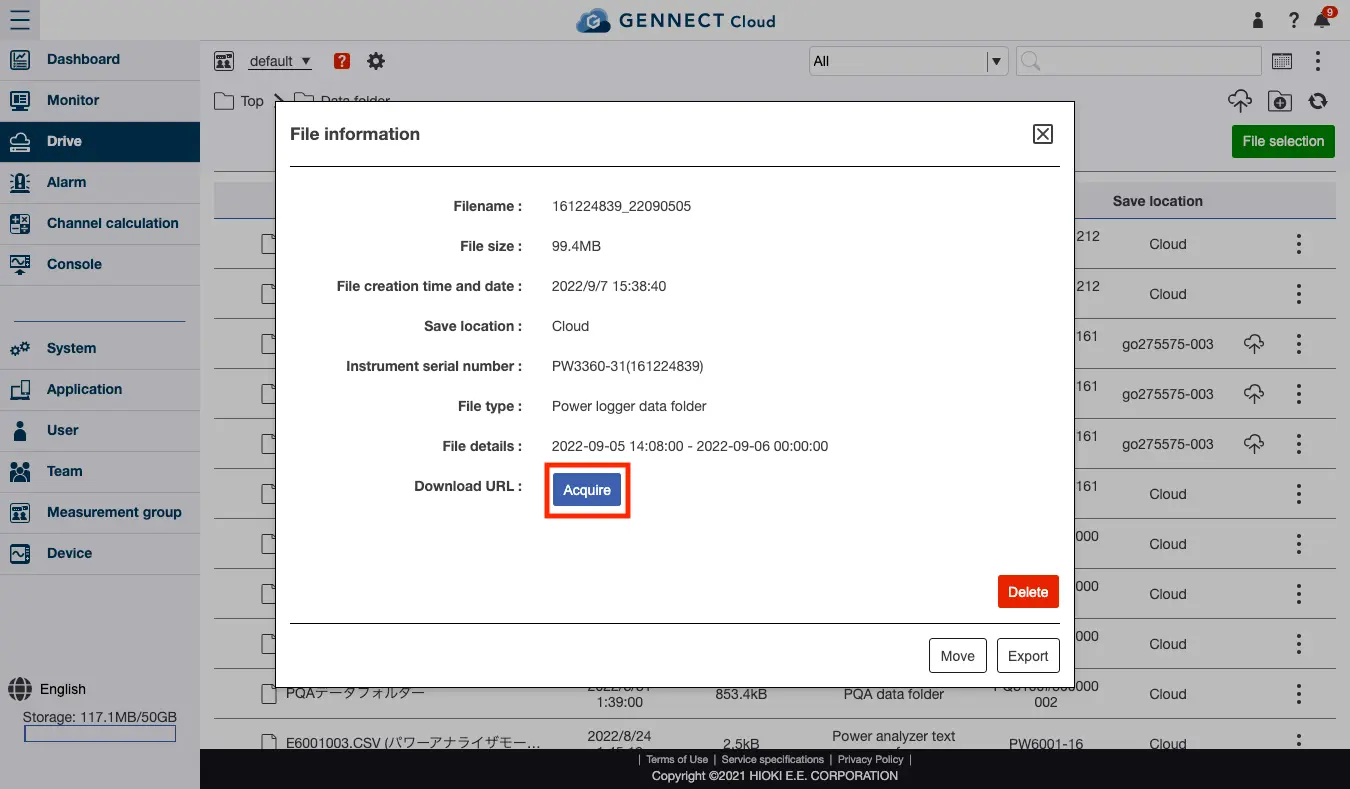
Acquiring a file download URL
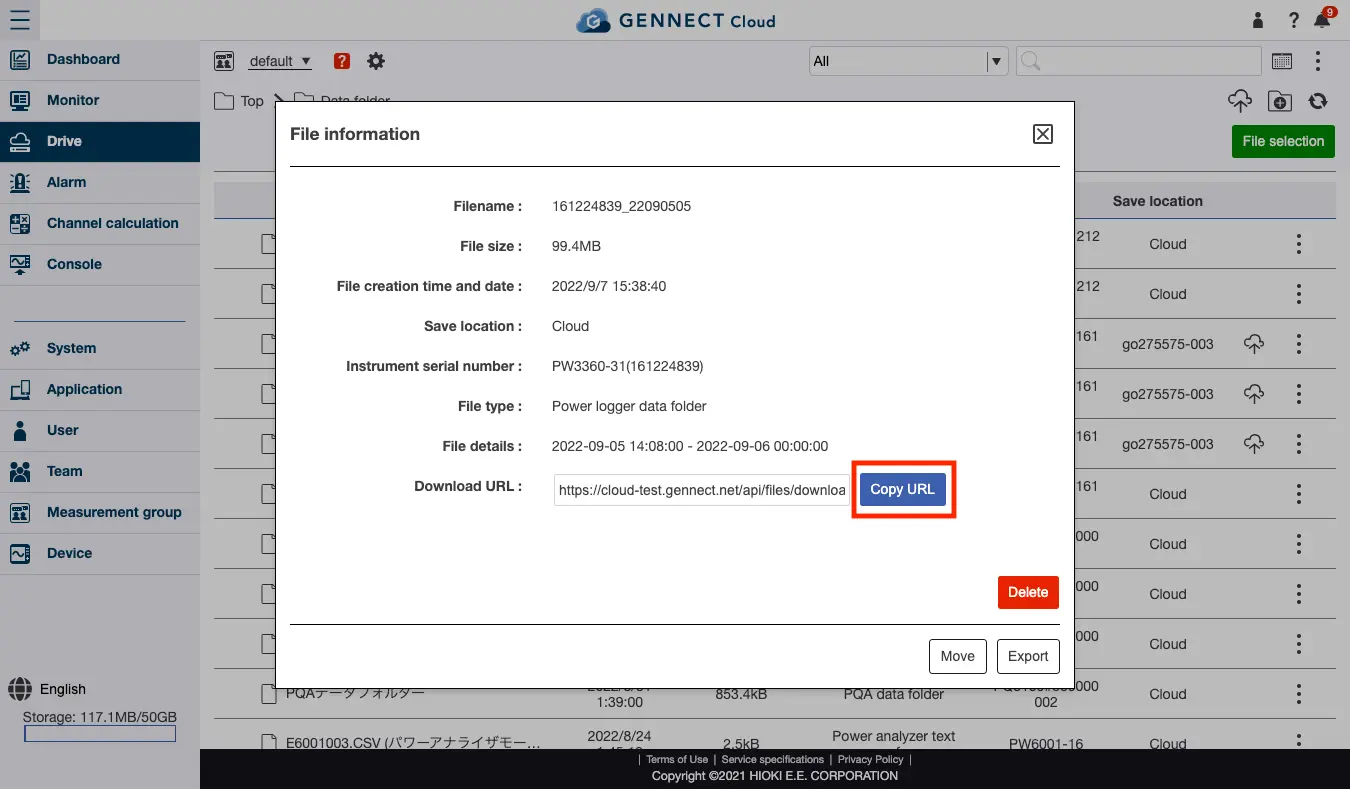
Click [Acquire] for the download URL to acquire a download URL.
The download URL can be accessed to download the file without needing to log in.
Want help or have questions?