

Exporting camera images
Export stored camera images in ZIP format.
GENNECT polled data and camera images cannot be exported at the same time.
The camera function is exclusive to the GENNECT Remote gateway.(In Japan only)
Note that this function cannot be used with GENNECT One or GENNECT Cross.
Displaying GENNECT polled data
Click [GENNECT polled data] on the drive screen.
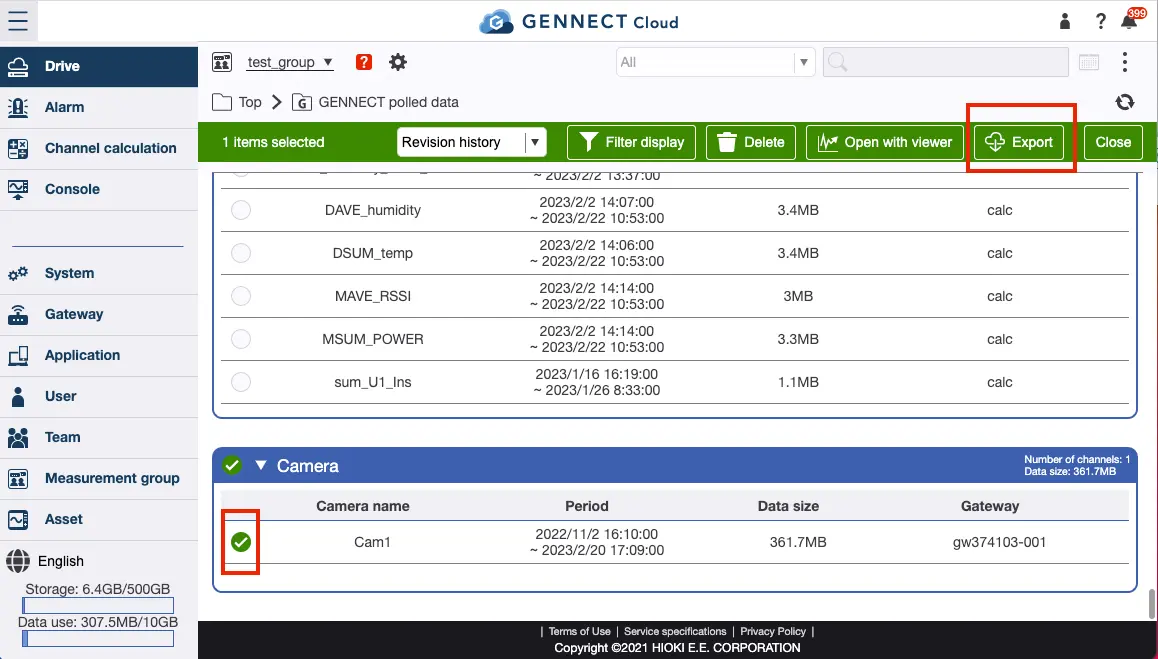
Selecting target cameras
When camera images uploaded in the past is displayed for each camera, click [Channel selection]. Then select the target camera and click either [Open with viewer] or [Export].
Specifying the interval
- Select the interval and file format and then click [Export].
For a more detailed description of this process, see “Exporting GENNECT polled data.”
Want help or have questions?