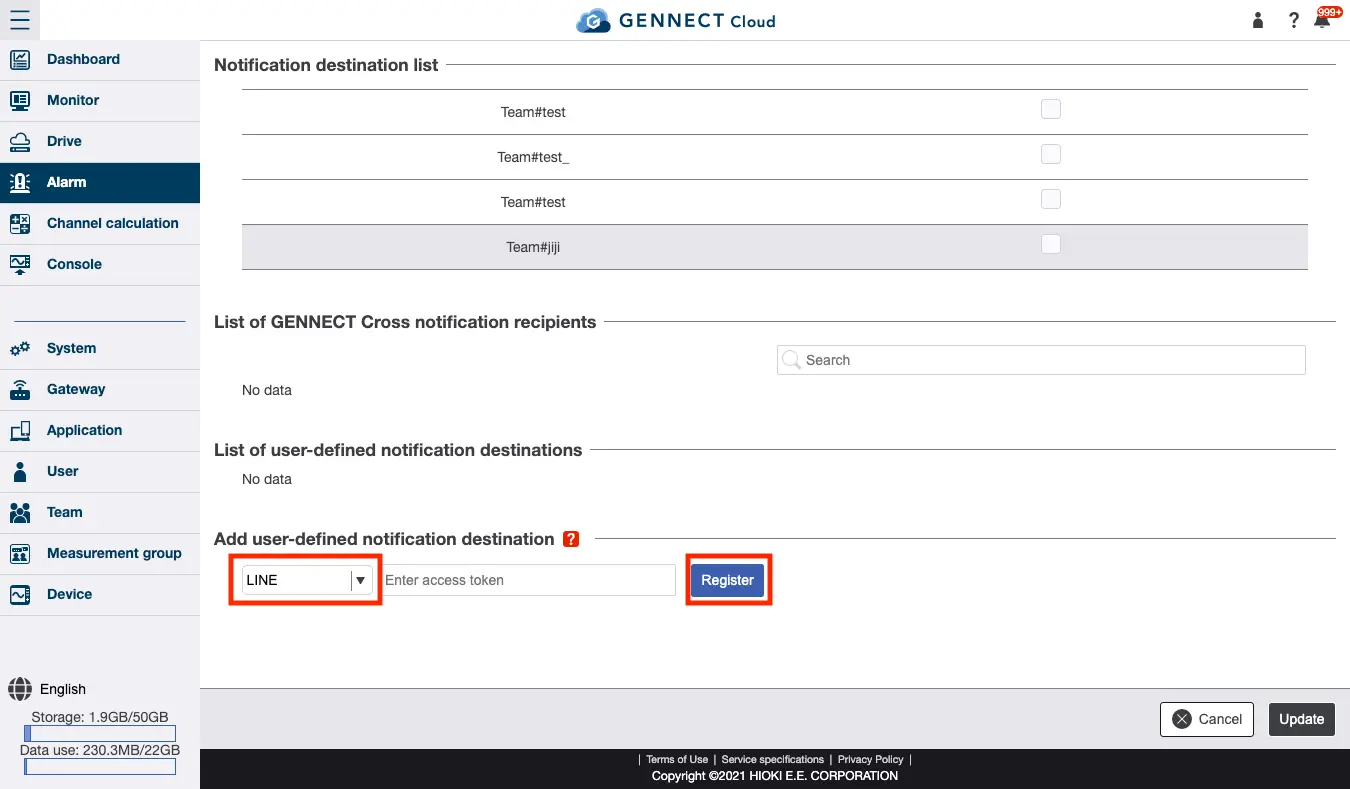
Registering a LINE account as an alarm notification recipient
We will stop creating new LINE notifications as of 12/11/2024.
Notifications will be sent to the LINE notifications that have been created until 3/31/2025, after which the LINE notification function itself will be discontinued.
Please consider setting up notifications by other means, such as email.
You can register a LINE account and then send notifications to that account when alarms occur.
The LINE account being used must be set up with an email address and password in advance.
Log in to LINE Notify
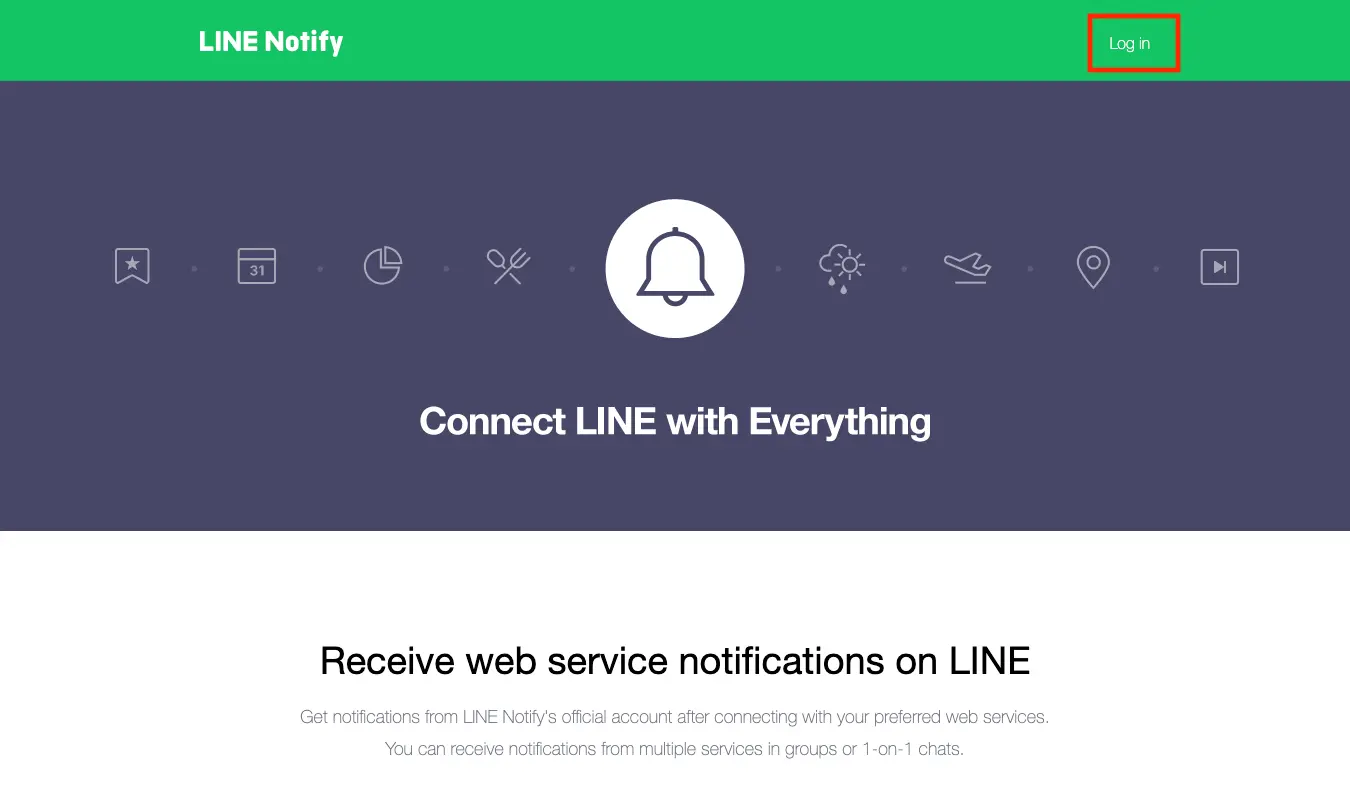
Access LINE Notify (https://notify-bot.line.me/ja/) and click [Log in] to access the login screen.
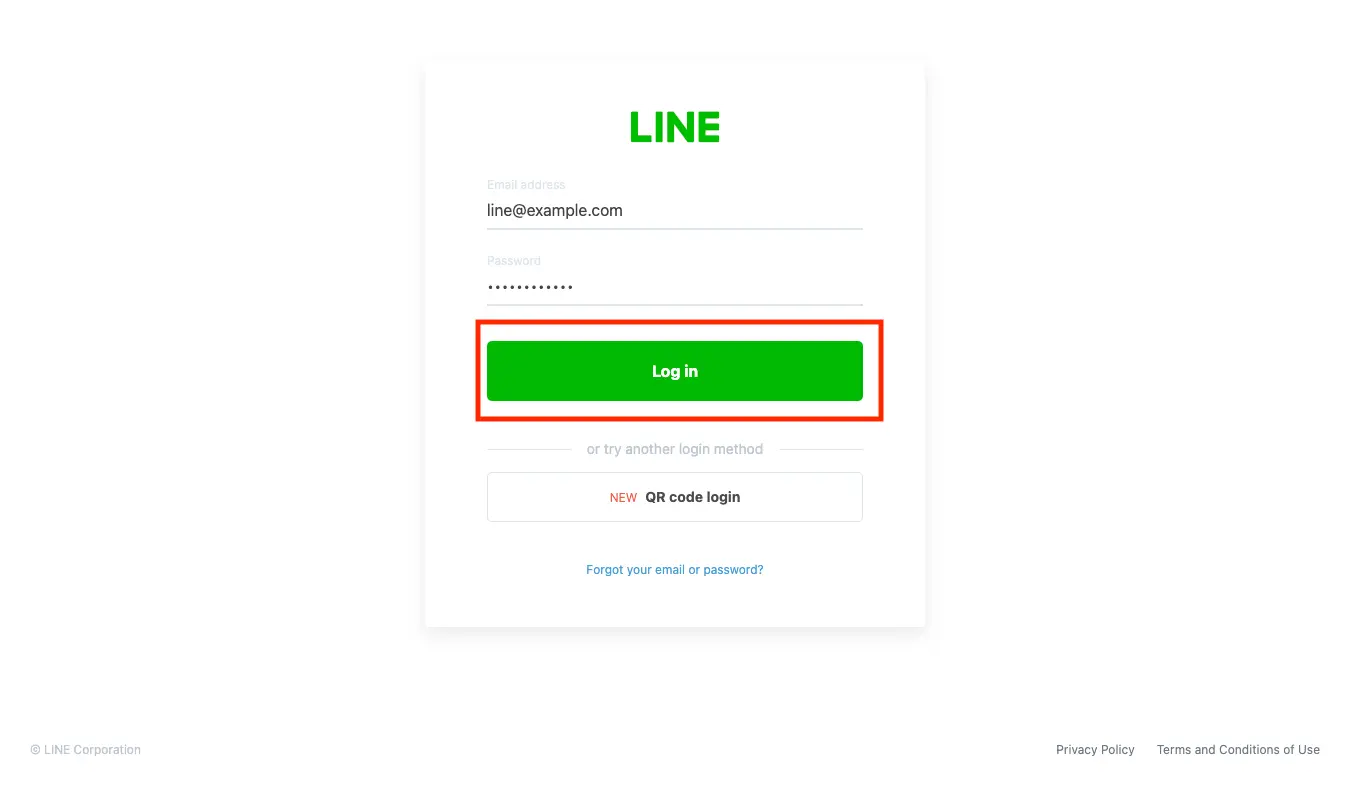
Enter your LINE email address and password and click [Log in].
Creating a notification token
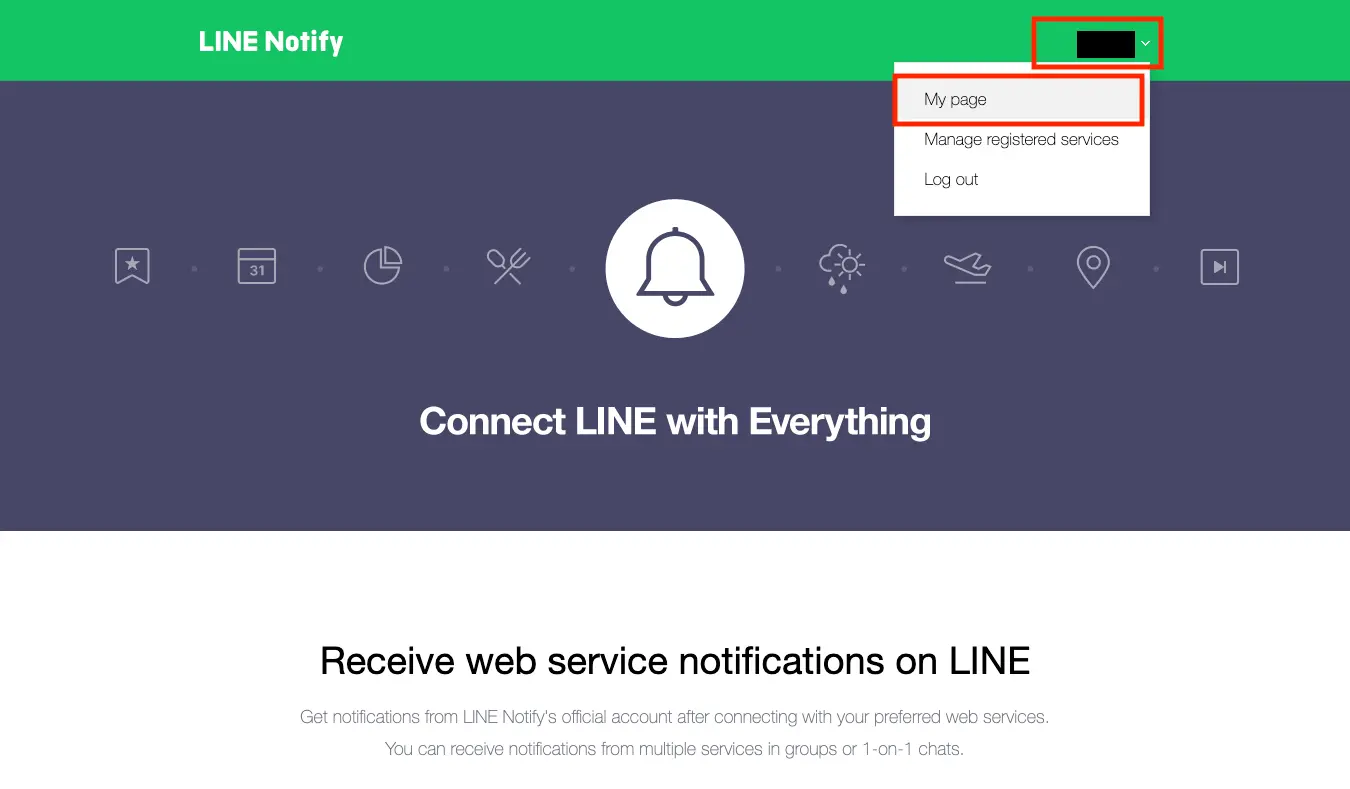
Click your login username to display the menu and select [My page].
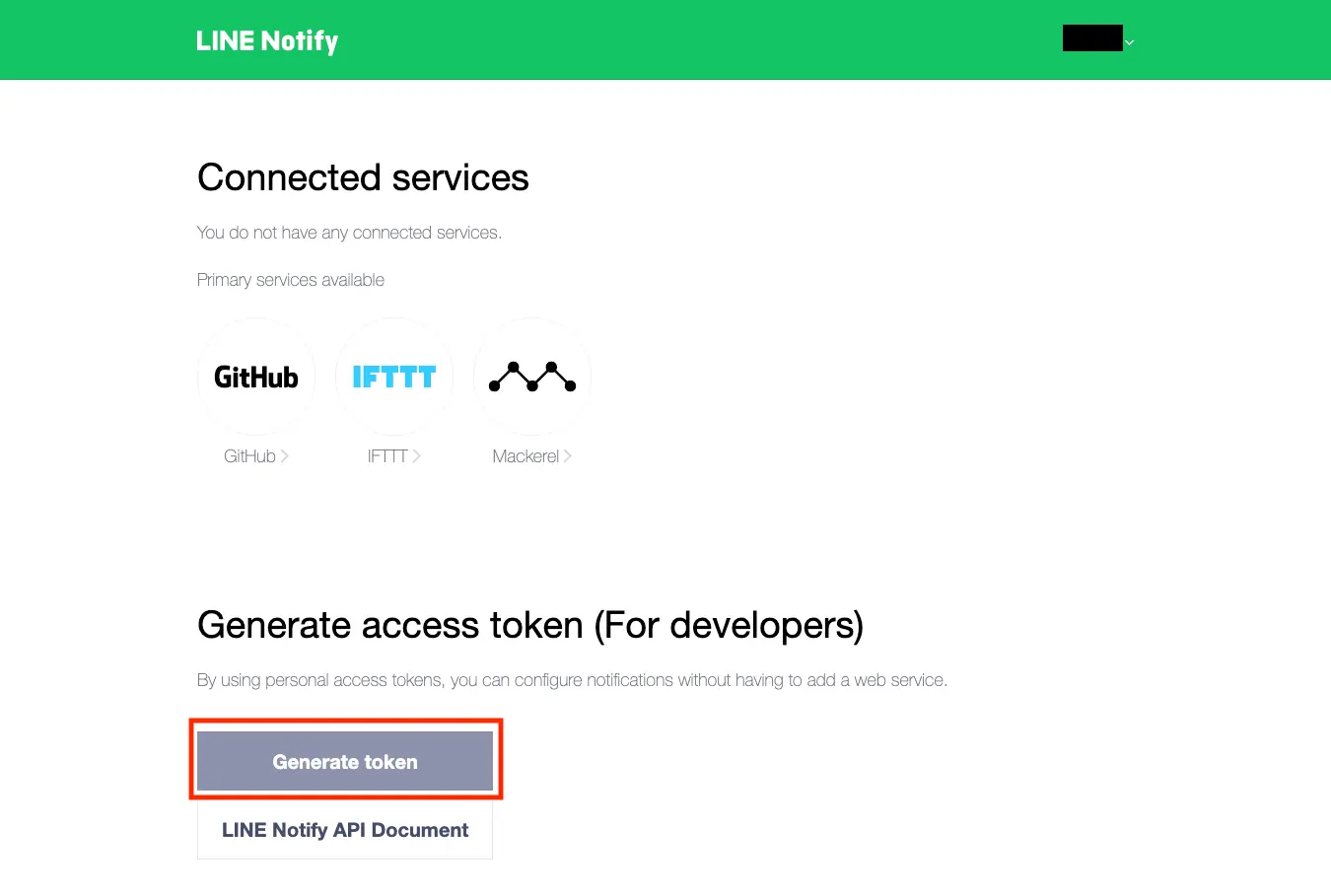
Click [Issue token].
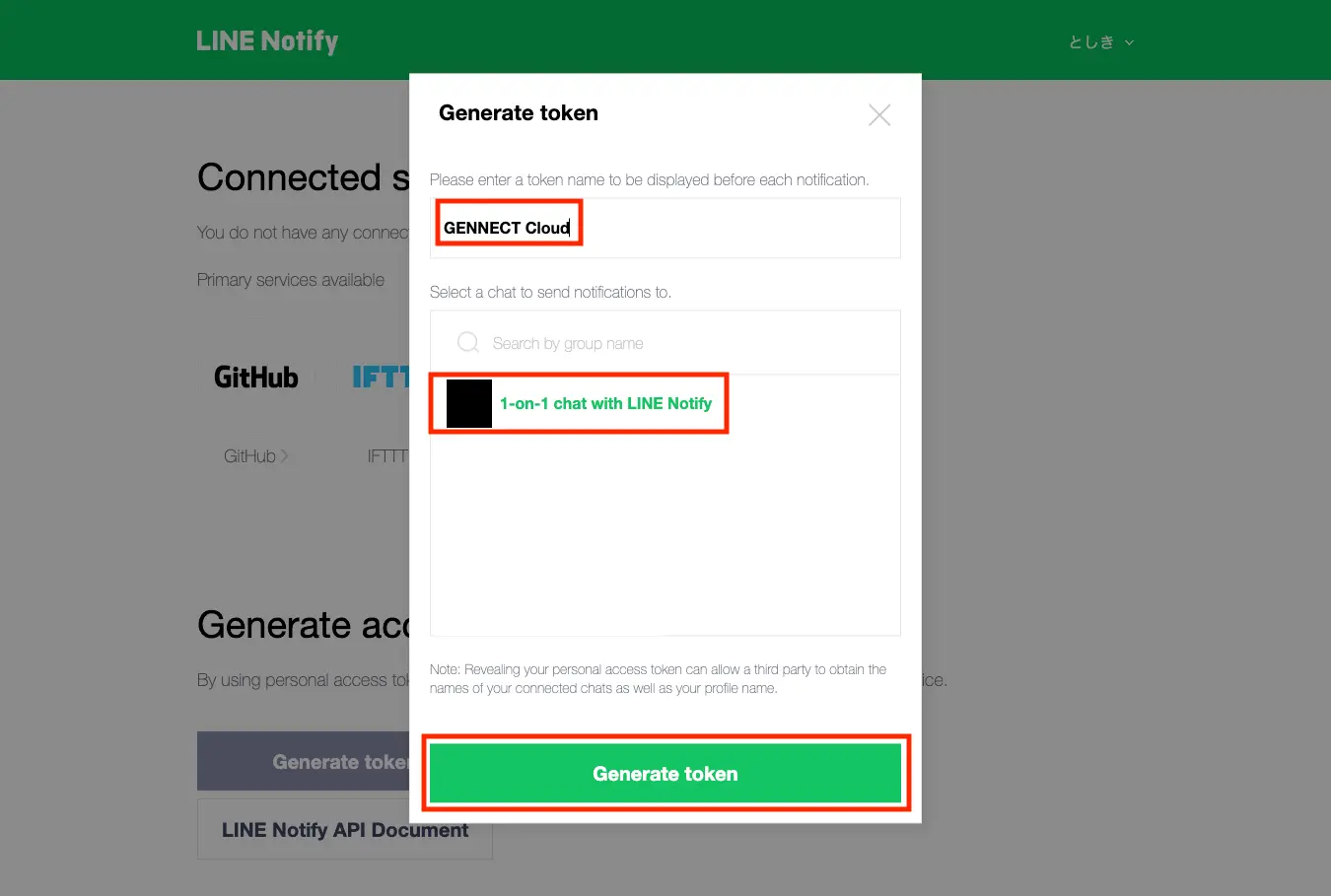
Enter a name for the token, select the recipient, and click [Issue].
Copy the issued token.
Registering the token with GENNECT Cloud
On the GENNECT Cloud alarm notification recipient screen, select LINE to add as a user-specified recipient, paste the copied key in the text box, and click [Register].