

View Product List
The GENNECT Cloud automatically registers devices connected through gateways and applications.
You can also manually register purchased products.
You can check the model name, serial number, and version of the registered instruments, as well as enter and manage control numbers and remarks.
Calibration documents can also be downloaded only for products covered by the Calibration Documents Download Service.
Display a list of registered products
Lists the control number, model name, serial number, version, and remarks of registered products.
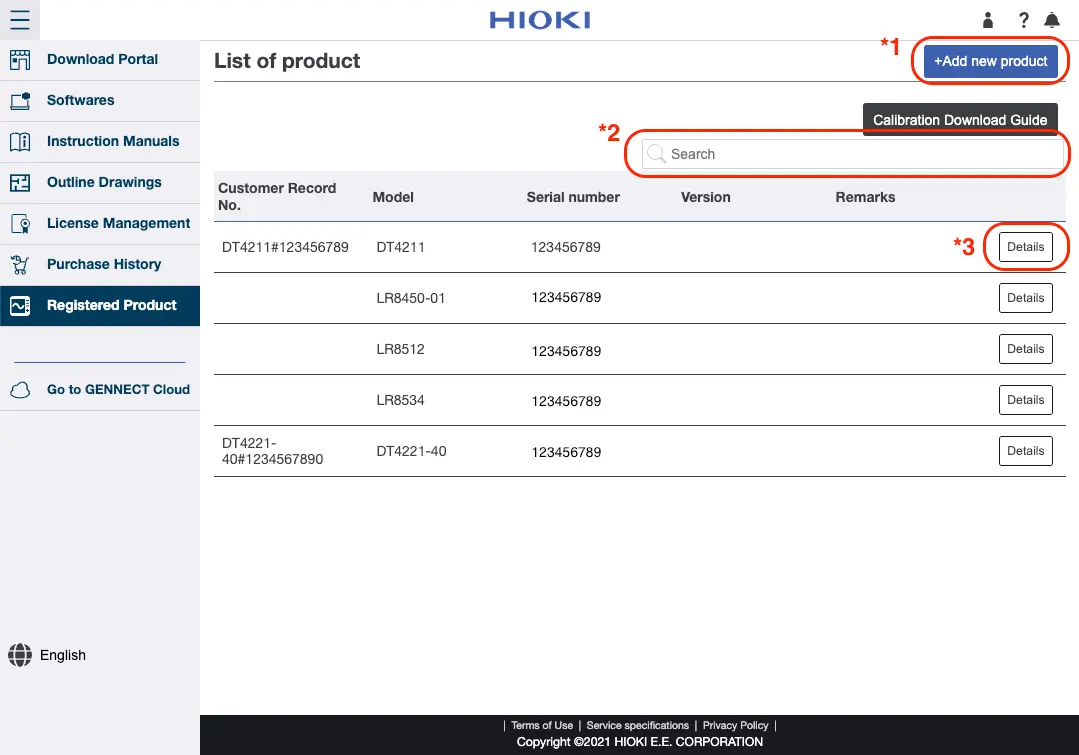
*1 Register a new product.
*2 Product can be filtered. Only product that contains input characters in the control number, model name, serial number, version, or remarks will be displayed.
*3 Go to the detailed product display page.
Want help or have questions?